More Than Half of Laptop Owners Hit Malware Last Year. Are You Ready?
Cybercriminals aren’t slowing down. And according to a new CNET survey, a surprising number of us aren’t doing enough to stop them.
Over half of US adults who own personal laptops — 54%, to be exact — encountered potential malware in the past year alone. That’s not a small number. And what’s more concerning? About 12% of those people did absolutely nothing about it.
So let’s talk about what’s actually happening out there, what works, and how to build a real defense that goes beyond just having antivirus software installed.
What the Survey Numbers Actually Tell Us
CNET surveyed 2,539 US adults in March 2026, conducted by YouGov Plc. The results paint a clear picture of where we stand with everyday cybersecurity.
Here’s what stood out most:
- 78% of US adults currently own a personal laptop
- 54% of those laptop owners hit potential malware in the past 12 months
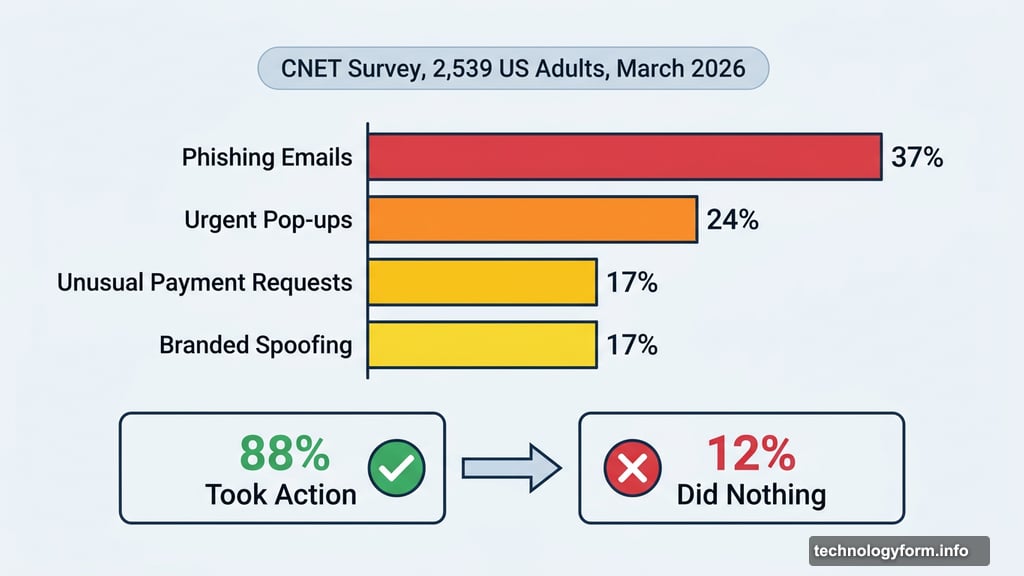
- 88% of affected users took some kind of action — but 12% did nothing at all
- 37% received phishing emails in the past year
- 68% responded by deleting the file or closing the suspicious site or pop-up
The good news? Most people are responding. The bad news? Responding the right way is a whole different story.
Phishing Emails Are the Biggest Threat Right Now
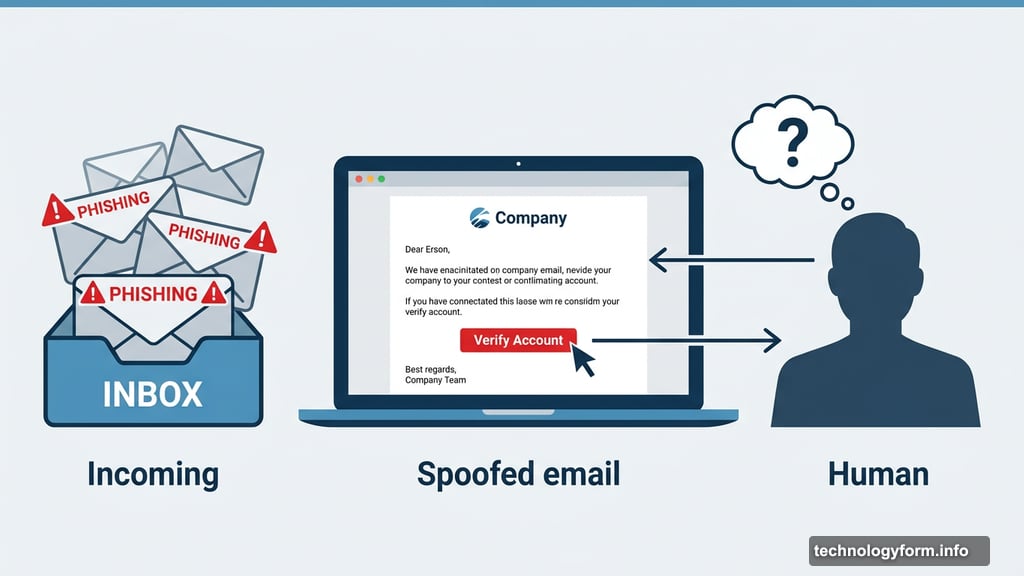
Of all the malware threats laptop owners faced, phishing emails topped the list at 37%. That was followed by urgent pop-ups (24%), unusual payment requests (17%), and branded spoofing — where scammers impersonate real companies — at another 17%.
And here’s why that matters so much. Antivirus software is genuinely great at catching known threats. But phishing is a human problem, not just a software one. It relies on tricking you into clicking something, not on bypassing your security tools.
Cybercriminals are also using AI now to craft more convincing scams. Fake emails look more polished. Spoofed websites feel more real. So the workarounds keep evolving faster than your software can keep up.
Built-In Antivirus Helps, But It’s Not Enough
Here’s something worth knowing: your device probably already has antivirus protection built in.
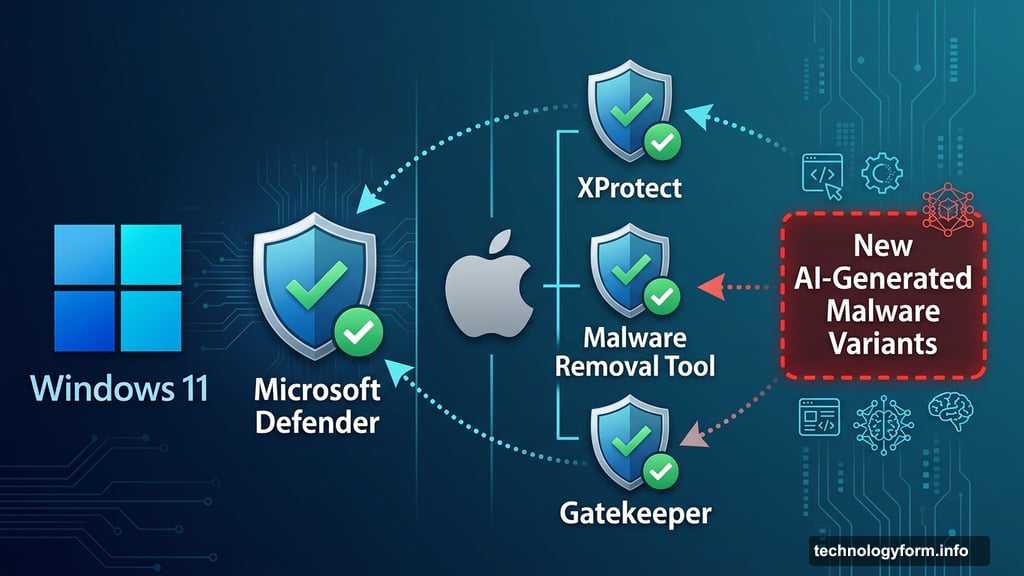
Windows 11 includes Microsoft Defender, which provides solid baseline malware protection. Mac users get XProtect for malware checks, the Malware Removal Tool as a backup, and Gatekeeper to block untrusted apps. So if someone tells you they don’t need extra antivirus software, they’re not entirely wrong.
But built-in protection has limits. It works from a database of known threats. New malware variants, especially AI-generated ones, can slip through before the database catches up. That’s why CNET’s cybersecurity experts Moe Long and Attila Tomaschek both emphasize that antivirus is just one piece of a much bigger puzzle.
When You Spot Malware — What to Do First
Speed matters here. The faster you respond, the less damage gets done. So here’s a practical breakdown of what actually works.
Close it without clicking. If a suspicious pop-up appears, close it without clicking any link inside it. If you don’t interact with the link, you likely haven’t triggered anything harmful yet.
Delete the file fast. If you downloaded something suspicious, delete it immediately — before running or opening it. An executable file (.exe on Windows, for example) can install malware the moment you launch it.
Run a malware scan right away. About 35% of survey respondents did this, and it’s one of the most effective steps. Tools like Malwarebytes or Microsoft Defender’s offline scanner can find and flag threats you may have missed.
Disconnect from your network. If you think your device is already infected, pull the Wi-Fi plug. This stops the malware from spreading to other devices on your home or work network.
Consider a factory reset as a last resort. Long says a full factory reset — wiping your hard drive entirely — is often the most reliable fix for a serious infection. Just make sure you don’t restore from a backup that still contains the malware. Also worth noting: some deeply embedded malware, like rootkits, can survive even a factory reset in rare cases.
One thing that doesn’t help as much as people think? Installing a VPN in response to malware. Long is clear about this: a VPN is a privacy tool, not a security shield. It can protect your traffic on a compromised public Wi-Fi network, but it won’t stop malware that’s already on your device.
Cybersecurity Is a Multitool Approach Now
This is the phrase Long uses, and it really captures the current reality: “Cybersecurity now is a multitool approach.”
No single app protects you from everything. You need antivirus software for catching malware downloads. You need identity theft protection to know if your data ends up on the dark web. You need a password manager to stop weak or reused passwords from becoming a backdoor. And yes, a VPN helps protect your privacy on public networks.
Tomaschek also recommends staying educated. The Federal Trade Commission regularly posts alerts about new scam types and lets you report fraud directly. Knowing what’s trending among cybercriminals helps you spot attempts before they fool you.
Some quick habits that go a long way:
- Look for red flags in emails — odd domains, misspellings, unexpected urgency
- Only download apps from verified sources like the Apple App Store or official websites
- Keep your operating system and software updated (security patches matter)
- Use strong, unique passwords for every account
CNET’s Top Picks for Staying Secure
If you’re building out your cybersecurity toolkit, here’s where CNET’s experts suggest starting:
Antivirus software: Bitdefender earns top marks for its budget-friendly plans, active background scans, and comprehensive digital security tools.
Identity theft protection: Aura is CNET’s overall top pick, offering three-credit bureau monitoring and a clean, easy-to-use interface that alerts you to dark web exposure.
Password manager: Bitwarden stands out for its solid free plan that syncs across multiple devices without costing a thing.
VPN: ExpressVPN leads CNET’s picks for its speed, user-friendly design, and servers across all 50 US states — though it’s one of the pricier options if budget is a concern.
Don’t Be in the 12%
That stat keeps coming back. Twelve percent of laptop owners who encountered potential malware just… ignored it.
Long says some people assume it’s a false positive. Maybe it is. But the right move is always to verify. Run a malware scanner. Check your device for unusual behavior — unexpected pop-ups, programs you didn’t install, performance that suddenly tanks. These are all warning signs worth investigating.
And if you confirm you’ve been scammed, report it to the FTC at reportfraud.ftc.gov. It helps protect others from the same attack.
You don’t need to be a tech expert to stay safe online. You just need good habits, the right tools, and the willingness to act fast when something feels off. That’s a combination anyone can build.