
Google AI Just Killed My Travel Stress. These 6 Tools Changed Everything
Travel planning used to eat up hours of my time. Spreadsheets, browser tabs, scattered screenshots. Total chaos.
Then I discovered Google’s AI features actually solve real problems. Not the overhyped stuff. The practical tools that make booking and navigating trips genuinely easier.
I’ve tested these across dozens of trips. Here’s what actually works for hassle-free holiday travel.
AI Overviews Build Custom Itineraries Fast
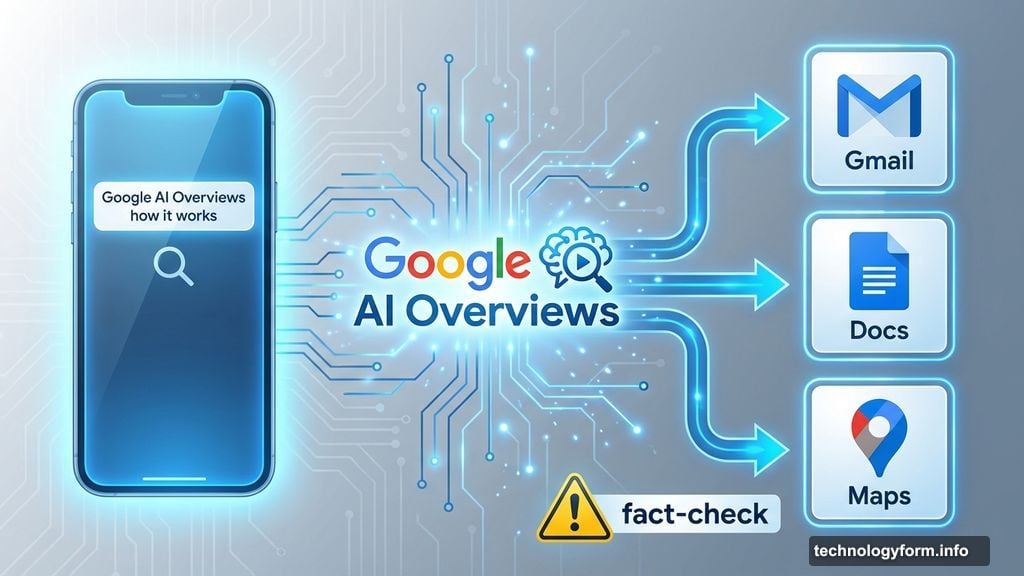
Google’s AI Overviews in Search generate personalized travel plans in seconds. Simply type what you want.
I asked it to plan a bookstore-focused Edinburgh tour last May. Three days, specific interests, done. The AI pulled from reviews, photos and business profiles to create something actually useful.
Now the feature expanded. You can generate day-by-day itineraries for entire regions or countries. Try “create an itinerary for England with a focus on history” or “create an itinerary for New Zealand with a focus on nature.”
Plus, you can export directly to Gmail, Docs or Maps. No copying and pasting between apps.
However, AI makes mistakes. Always fact-check suggestions against expert sources. The tool sometimes hallucinates or pulls from dubious information. So verify before booking anything expensive.
Gemini Suggests Activities When You’re Stuck
Travel planning overwhelms me in unfamiliar cities. That’s when I open Gemini, Google’s AI chatbot.
Since the fall 2024 update, Gemini integrates with Google Maps. It suggests activities and dining options based on your preferences.
Ask for “budget-friendly activities in Tokyo” or “things to do in Ireland when it’s raining.” Gemini uses Google reviews to curate suggestions and drops pins on your map.
This feature cuts planning time dramatically. Instead of scrolling through endless listicles, you get tailored options immediately.
For comparison, I sometimes test ChatGPT and Claude with identical queries. Results are comparable. But Gemini’s Maps integration gives it an edge for location-based planning.
Remember: fact-check everything. AI chatbots sound confident even when they’re wrong.
Create Your Personal AI Travel Agent
Gemini’s Gems feature lets you build custom AI experts. Think of it as training your own travel planner.
I created a “travel agent” Gem with specific instructions. I defined its objectives, capabilities and response style. Then I asked it to plan 10 days of Caribbean island-hopping.
My Gem asked about my travel dates, budget and ideal pace. From those answers, it planned visits to Puerto Rico, St. Lucia and Barbados. It blended beaches, nature and history based on my interests.
The best part? Gems are now free. Just sign into Gemini Apps and access the Gems manager on desktop.
This feature can’t replace real travel agents entirely. But it handles initial planning without the consultation fees.
Screenshots Turn Into Organized Lists
My Photos app contains thousands of screenshots. Restaurants, museums, parks, attractions. All scattered and unsorted.
Google Maps now identifies locations in your screenshots automatically. It scans for text mentioning specific places, displays them on the map and lets you save or share them.
This feature rolled out to iOS users in the US. Android support arrives soon.
Instead of manually typing addresses from screenshots, Maps does the work. It organizes travel ideas without extra effort on your part.
Track Hotel Prices Like Flight Prices
I check Google Flights daily. Seriously. I have email notifications set for 15-plus destinations.
Now Google brings that price-tracking magic to hotels. Visit google.com/hotels and toggle the price-tracking option below search filters.
Set your dates and destination. Add filters like star rating or beach access. Then wait for email notifications when prices drop significantly.

I have alerts set for San Juan, Puerto Rico, in early May. The moment rates fall, I’ll know.
Hotel costs usually dwarf flight expenses. So tracking hotel prices saves more money overall.
Lens Translates Everything Instantly
Language barriers terrify me when traveling abroad. Getting lost in a foreign city without translation tools? Nightmare fuel.
Google Lens solves this completely. Point your camera at street signs, maps or menus. Tap the translate filter. Watch words translate on your screen in real time.
Lens does more than text translation. It identifies objects and buildings too. See a crowd around a statue? Point your camera and ask “What is this?” Lens generates an AI Overview with information and links.
AI Overviews in Lens now work in more than 200 countries and territories. They support more than 40 languages.
This feature transformed how I navigate unfamiliar cities. No more anxiety about communication barriers.
The Real Value Here
These tools don’t replace human expertise. Travel agents, local guides and expert advice still matter.
But AI handles the tedious parts of travel planning. It organizes information, suggests options and translates languages. That frees up mental energy for actually enjoying your trip.
I’ve used these features across numerous international and domestic trips. They consistently save time and reduce stress.
The key is knowing which tools solve which problems. AI Overviews for itineraries. Gemini for activity ideas. Lens for language barriers. Each tool has its purpose.
Start with one tool. Test it on your next trip. See what works for your travel style. Then add more as you discover what helps most.
Travel planning doesn’t need to be overwhelming. These Google AI features prove that technology can genuinely assist without complicating things further.