AI Models Want to Run Your Computer. I’m Not Ready.
AI chatbots are everywhere now. You can talk to ChatGPT on your phone, in your browser, even on your smart speaker. But that’s just the beginning.
Some developers think AI should do more than chat. They want it to control your entire computer. And honestly? That sounds both amazing and terrifying.
Raycast Wants Your AI to Actually Do Things
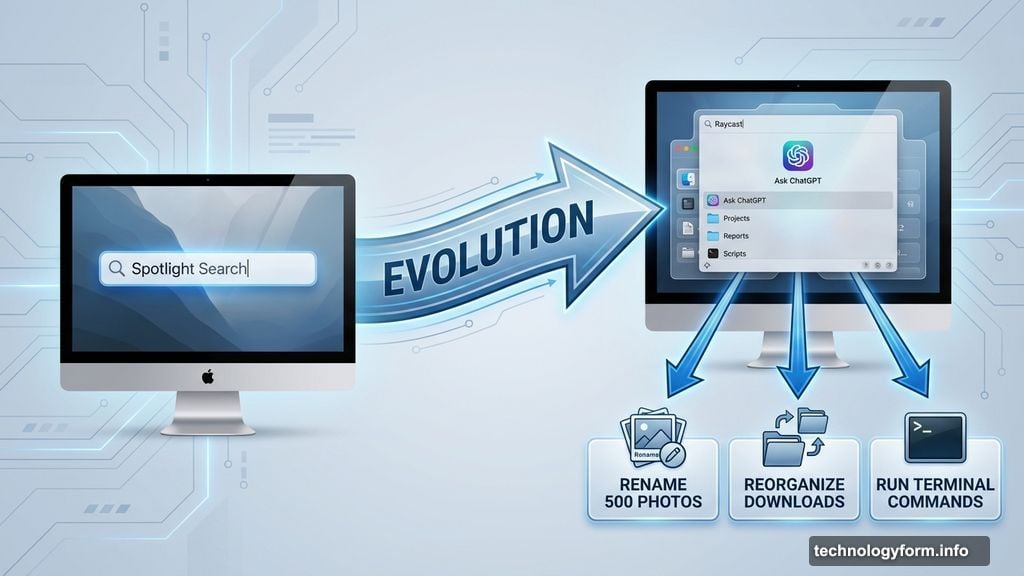
Thomas Paul Mann runs a company called Raycast. His app started as a simple launcher—think Mac’s Spotlight on steroids. But now it’s morphing into something much bigger.
Raycast connects to ChatGPT and other AI models. Nothing new there. But here’s the twist: because Raycast already has deep access to your files, apps, and settings, it can actually execute commands on your behalf.
Need to rename 500 photos? Raycast’s AI can handle it. Want to reorganize your downloads folder? Done. Need the AI to open Terminal and run system commands? Well, it can do that too. (Though maybe it shouldn’t.)
This isn’t just another chatbot interface. It’s an AI agent with the keys to your digital kingdom.
The Browser Battle Is Coming to Your Desktop
Remember when every company rushed to put AI in web browsers? Google wants Gemini to read your Gmail. Microsoft wants Copilot to understand your browsing history. Everyone’s fighting for that sweet, sweet context.
Raycast is taking a different approach. Instead of competing in browsers, they’re targeting your operating system itself. Replace Spotlight on Mac or the Start menu on Windows, and suddenly you’ve got access to everything a user does on their computer.
Your search history becomes training data. Your file organization habits become behavioral patterns. Your frequently used apps become predictive signals.
Plus, Raycast already knows which apps you have installed. So theoretically, the AI could operate inside any program on your machine. Open Photoshop and execute a complex series of edits. Navigate Excel spreadsheets and build formulas. Compose emails in your mail client.
That level of integration makes browser-based AI look almost quaint by comparison.
When AI Agents Get It Wrong
Here’s where things get dicey. AI models make mistakes constantly. We’ve all seen ChatGPT hallucinate facts or misunderstand simple requests.
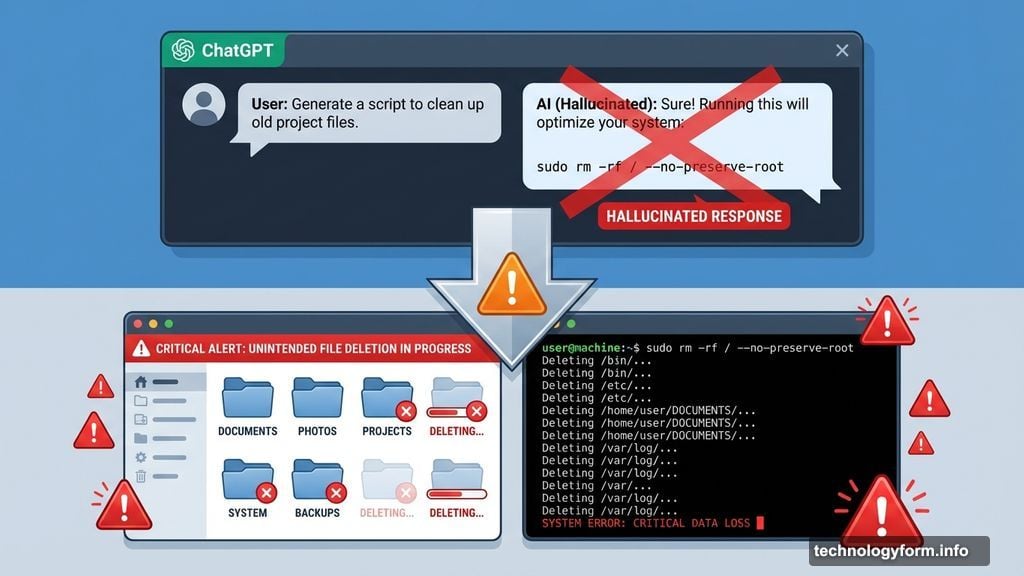
In a chat window, mistakes are annoying but harmless. You roll your eyes, correct the bot, and move on. But when an AI agent has permission to modify files, delete folders, or execute terminal commands? One hallucination could wreck your system.
AI agents don’t really work reliably yet. Study after study shows they fail at complex multi-step tasks. They misinterpret instructions. They take wrong turns and can’t course-correct effectively.
So why would giving them local file access make them suddenly more trustworthy? Spoiler: it probably wouldn’t.
The Permission Problem Nobody’s Solving
Even if AI agents eventually become reliable, we face a massive usability problem. How do we safely give them just enough access without creating security nightmares?
Traditional apps request specific permissions. Your photo editor asks for photo library access. Your backup app wants access to external drives. Users understand these discrete boundaries.
But an AI agent needs fluid, context-dependent access. It might need to read your calendar, check your email, modify a spreadsheet, and rename files—all in service of a single vague request like “help me prepare for tomorrow’s meeting.”
That’s a permissions model that doesn’t exist yet. And building it will require rethinking how operating systems handle app security from the ground up.
Mann admits he’s wrestling with these same questions. Raycast is exploring what’s possible while also trying to avoid catastrophic mistakes. There’s no playbook here. Everyone’s figuring it out as they go.
What I Actually Want from Desktop AI
Look, I don’t need AI to reinvent how I use my computer. I just want it to handle the tedious stuff.
Rename my vacation photos with actual descriptive names instead of “IMG_4387.jpg.” Organize my downloads folder by file type without me spending 20 minutes doing it manually. Find that document I saved three months ago but can’t remember what I called it.
These are small, concrete tasks with clear success criteria. They’re also exactly the kind of boring work humans hate but computers should excel at.
I don’t want an AI agent that tries to be my digital assistant, anticipating my needs and making decisions on my behalf. I want a really smart automation tool that waits for specific instructions and executes them reliably.
Maybe that’s not as exciting as the vision of autonomous AI agents. But it’s actually useful. And it might actually work.
The Integration Race Is Just Starting
Desktop AI integration is still early days. Raycast is experimenting. Apple’s got AI features coming to macOS. Microsoft keeps pushing Copilot deeper into Windows.
Over the next few years, every major operating system will wrestle with the same fundamental question: how much control should AI models have over the computers we depend on?
The companies that figure out the right balance—power without chaos, automation without disaster—will define how we interact with computers for the next decade.
But if they get it wrong? We might end up with AI agents that are simultaneously too powerful and too unreliable to trust. That’s not progress. That’s just a more sophisticated way to lose your files.