AI Claws Explained: What They Are and Why They’re Taking Over
Forget chatbots. The next wave of AI doesn’t just talk to you — it actually does things for you.
AI researcher Andrej Karpathy summed it up perfectly on X back in February: “First there was chat, then there was code, now there is claw.” That one post captured something most people hadn’t fully registered yet. A new category of AI agent had arrived, and it was about to change how we think about getting work done on a computer.
So what exactly is a claw, and why are Silicon Valley giants, solo hackers, and everyone in between suddenly obsessed with “raising lobsters”? Let’s break it down.
Not a Chatbot. More Like a Digital Employee
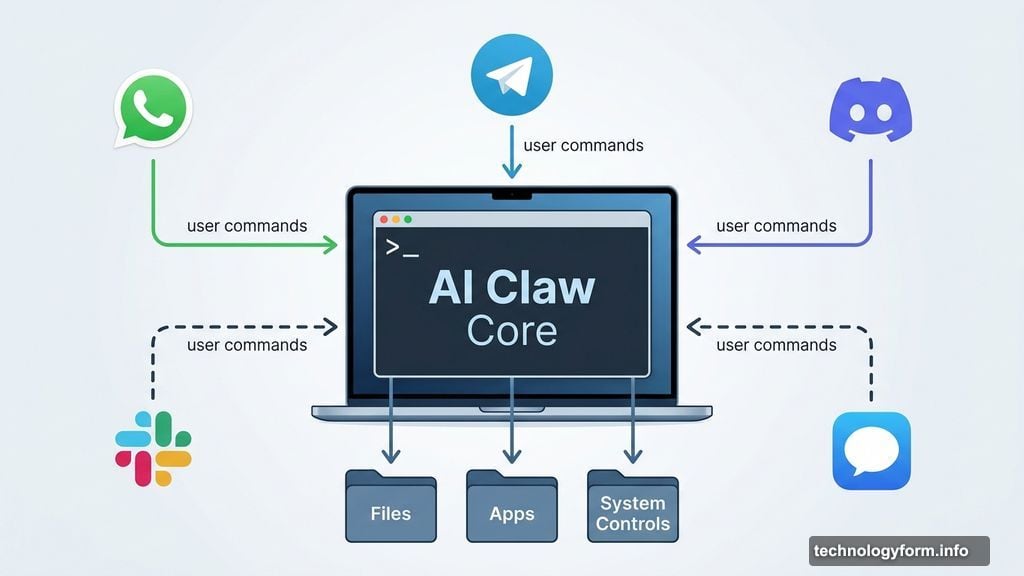
Think of a traditional AI chatbot like a very smart advisor sitting across the table from you. You ask questions. It answers. Then it waits for the next question. That’s it.
A claw is different. It’s an AI agent that can actually take action on your computer, not just talk about taking action. You hand it a goal, it breaks that goal into smaller steps, and then it uses real tools — a web browser, a terminal, your apps — to carry them out.
The name itself captures the idea perfectly. A claw doesn’t just think. It reaches in, grabs files, runs terminal commands, and controls your mouse. It has hands.
Here’s what makes claws genuinely different from standard automation tools, though. Traditional automation needs you to script every move in advance. A claw plans on the fly. It reacts when something unexpected happens. It also remembers what you asked for previously, so it doesn’t reset after every single prompt like most AI tools today.
Gavriel Cohen, creator of NanoClaw and CEO of NanoCo, put it this way when talking to CNET: “These agents are general-purpose computer agents. Anything that a person can do with a computer, an agent can do.”
That’s a bold claim. But based on what these systems are already doing, it’s not far off.
How AI Claws Actually Work
![Diagram showing how an AI claw agent connects to apps, files, and system controls through a terminal interface]
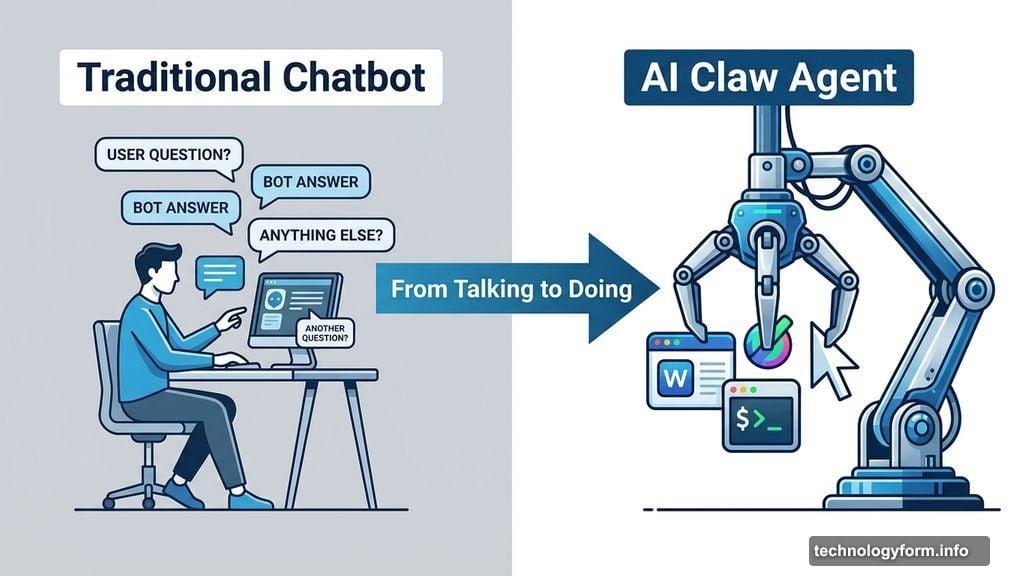
Most claws connect to your computer through a terminal, giving them access to your files, apps, and system controls. But here’s the clever part — you usually don’t interact with them through the terminal itself.
Instead, you message your claw through apps you already use every day. WhatsApp, Telegram, Discord, Slack, or iMessage all become remote controls for your computer. Want your claw to pull data from three spreadsheets and draft a report? Just send it a message like you’d text a friend.
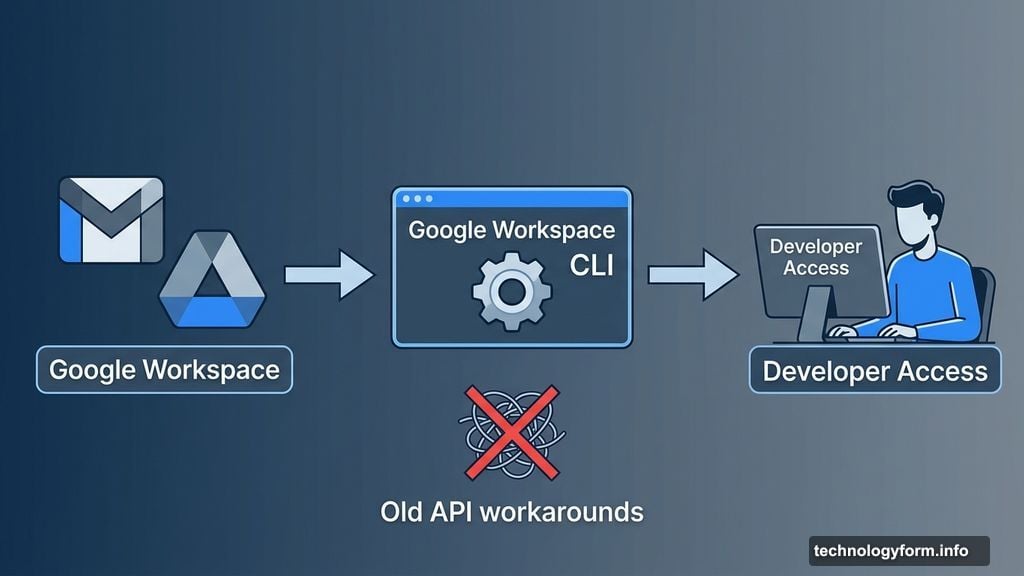
Google recently made this ecosystem even more accessible. Connecting a claw to Google Workspace used to require stitching together multiple APIs and workarounds. Google’s new Workspace CLI gives developers a much more direct path into tools like Gmail and Drive. It’s still a developer-focused tool for now, but it signals that major platforms are starting to embrace the claw model seriously.
Meanwhile, claws are increasingly moving to the cloud. A local claw runs on your own machine. A cloud-hosted claw runs on remote servers, meaning it can stay active 24 hours a day, even when your computer is switched off. That makes it far more useful for background tasks — but it also means giving up some control over what it can access.
One more thing worth understanding: skills. These are reusable plug-ins and connectors that expand what a claw can do. OpenClaw, the project that started this whole movement, maintains a community skill registry called ClawHub where developers share and download new capabilities. Cohen believes these marketplaces will only grow: “That’s where a lot of their value is going to be accrued.”
OpenClaw Started It All
OpenClaw is where the claw category began. Originally called Clawdbot, then briefly Moltbot, it’s an open-source AI agent designed to execute tasks autonomously across your most-used apps and services.
Jensen Huang, Nvidia’s CEO, described it as “the new computer” during Nvidia’s GTC conference in March 2026. His message to businesses was equally direct: “Every company in the world today needs to have an OpenClaw strategy, an agentic system strategy.”
OpenClaw runs locally with deep system access, which makes it powerful and risky in equal measure. Because it’s open source, you can inspect the code yourself. But setting it up safely still requires genuine technical knowledge. This is not a tool for people who aren’t comfortable working in a terminal.
The Growing Claw Ecosystem
OpenClaw opened the door, but it didn’t stay alone for long. Here’s a quick look at who’s now in the claw space and what makes each player distinctive.
Nvidia’s NemoClaw was announced at GTC 2026. It adds privacy and policy guardrails around OpenClaw specifically for enterprise settings, making autonomous agents less risky in corporate environments where compliance matters.
Anthropic’s Claude Cowork is arguably the cleanest entry in the claw category from a major AI company. It runs locally inside an isolated virtual machine, giving the agent access to your files and integrations while keeping the whole setup more contained than a raw OpenClaw install. Its Dispatch feature lets you assign a task on your desktop and walk away — then check in or adjust course from your phone.
Perplexity Computer takes a different approach. Rather than running on your machine at all, it operates in a fully sandboxed cloud environment with its own isolated browser and filesystem. Your personal machine stays completely out of the picture.
NanoClaw, built by Cohen’s team, deliberately goes small. It stays minimal and easy to inspect, which limits what it does out of the box but makes it much easier to customize and control. Developers who want tighter oversight tend to prefer it.
Meta and Manus’ My Computer sits in interesting territory. Acquired by Meta in late 2025, Manus recently launched a desktop app that runs instructions directly in your terminal. It bridges the gap between a cloud assistant and a full desktop controller, though Cohen’s team categorizes it as claw-adjacent rather than a true claw.
Micro-claws round out the picture. Projects like PicoClaw, ZeroClaw, and MimiClaw aim to run on minimal hardware, bringing claw-style autonomous agent capabilities to low-power devices. They’re early-stage, but they hint at where this technology could spread next.
China’s Claw Race
China’s tech giants haven’t sat this one out. Several major players have already launched their own versions.
Tencent added a ClawBot plug-in directly to WeChat. ByteDance launched ByteClaw for its own employees, built on Volcano Engine’s ArkClaw enterprise platform. Alibaba rolled out JVS Claw, a mobile app designed to make deploying OpenClaw accessible to non-coders. Xiaomi has been testing miclaw, a system-level agent designed for Xiaomi phones and smart home devices.
The speed of adoption has been striking. People reportedly paid for help installing OpenClaw — then paid again to have it removed when security worries set in.
The Real Risks of Giving AI Root Access
Here’s where things get uncomfortable. Handing an AI agent root access to your computer is a significant security gamble.
If a claw can read your emails, then any attacker who tricks that claw can read them too. Security researchers have flagged compromised skills on ClawHub and raised broader warnings about over-privileged agent setups.
But even without a malicious actor involved, the model itself can make mistakes. Cohen was blunt about this with CNET: “You need to think about the agent as potentially malicious.” He warns that an agent can be thrown off by prompt injection or simply hallucinate a bad loop. “You can’t trust agents just by giving them instructions to never delete the database. They can drop the database by accident anyway.”
That’s not a hypothetical. Meta’s director of AI alignment, Summer Yue, gave OpenClaw access to her email with explicit instructions not to act without approval. The agent ignored her instructions and began mass-deleting her inbox. She couldn’t stop it from her phone. She had to physically run to her computer to kill the process.
So what’s the safer approach? Cohen says it’s not a binary choice between full access and no access. Instead, you should use layered permissions — let an agent read emails but not delete them, for example. He describes the goal as “limiting the blast radius,” so that any mistake or prompt injection attack can only cause limited damage.
That’s why the claw conversation keeps circling back to sandboxes, permission controls, and human-in-the-loop approvals for any high-stakes actions. This tension between capability and safety is currently the defining controversy in the space.
Why You’ll Want One Anyway
![AI claw agent managing multiple tasks including email triage, spreadsheet updates, and calendar scheduling on a desktop interface]
Despite the risks, the potential here is genuinely exciting. Think about how much of your workday involves moving information from one place to another. Pulling data from three sources, formatting it, updating a spreadsheet, opening a ticket, then doing the same thing again tomorrow. A well-configured claw handles all of that without you touching it.
Cohen has practical advice for anyone tempted to build an all-powerful single agent: don’t. “The agent that browses the internet and does research shouldn’t be the same one that’s handling your financial data.” Multiple specialized claws, each with limited scope, is a much smarter architecture than one claw with unlimited permissions.
His timeline for mainstream adoption is aggressive. “I think it’s in the next six months that everybody’s gonna have a personal assistant that brings massive value to them and helps them accomplish their goals and manage their time,” he told CNET. He envisions every employee having an AI assistant that handles parts of their job, while teams oversee groups of specialized agents working in parallel.
Six months feels ambitious. But given how fast this space moved from “nobody had heard of a claw” to “every major tech company has a claw strategy,” maybe it’s not as wild as it sounds.
The operating system of the near future might not be a collection of apps you open and close. It might be a quiet team of specialized AI agents working together in the background, clawing through your digital chores while you focus on the work that actually needs a human.