Claude Can Now Control Your Computer — Here’s What That Actually Means
Anthropic just gave its AI assistant a serious upgrade. Claude can now take over your computer and handle real tasks on your behalf — no complicated setup required.
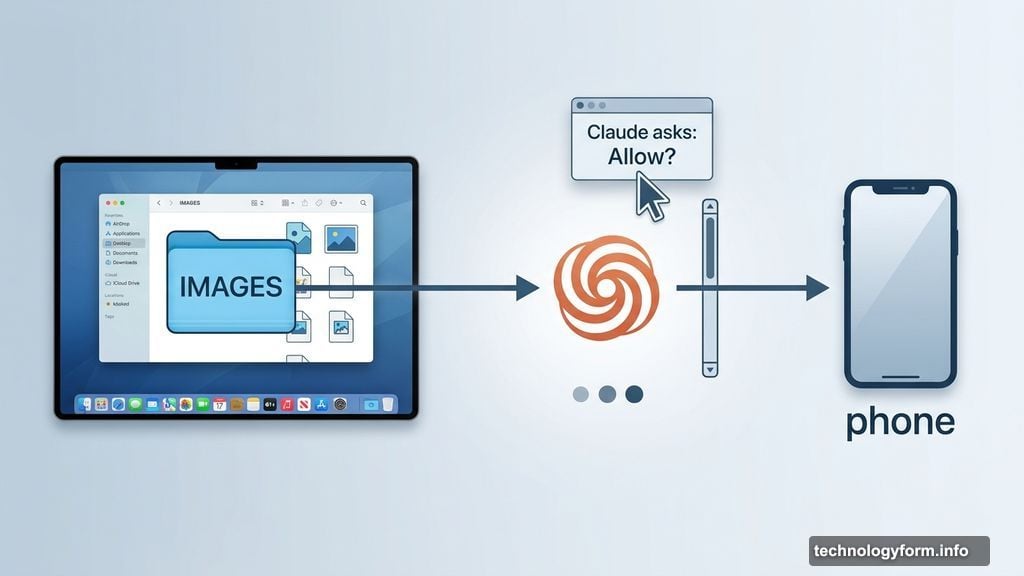
We’re talking practical stuff like sending a file from your computer to your phone, or batch-resizing a whole folder of images. If you’re on the right subscription plan and running macOS, Claude is ready to get to work.
Agentic AI Is Having a Big Moment
This launch didn’t happen in a vacuum. OpenClaw went viral recently, and the race to build genuinely useful AI agents is moving fast.
Anthropic is stepping into that space with computer use for Claude. Nvidia also just announced NemoClaw, a reference stack designed to bring AI agents to users more safely and securely. So the whole industry is pushing in the same direction at the same time.
Alex Albert, Anthropic’s head of developer relations, put it simply in an X post: “The future where I never have to open up my laptop to get work done is becoming real very fast.”
Hard to argue with that.
How Claude Actually Controls Your Computer
Claude doesn’t just guess what you need. It first looks for connectors to apps you already use — things like Google Calendar or Slack — to complete tasks through those integrations.
But here’s where it gets interesting. If no connector exists, Claude can step in and operate your computer the old-fashioned way. It types, moves the cursor, scrolls, clicks, and navigates just like a human would. It can open your web browser, use developer tools, and work with files directly.
The key safeguard? Claude always asks for permission before doing anything. And you can stop it mid-task at any point. That’s a smart design choice, especially given how new this all is.
The Security Stuff You Should Know
Handing an AI the keys to your computer is genuinely useful. It’s also a real risk worth understanding.
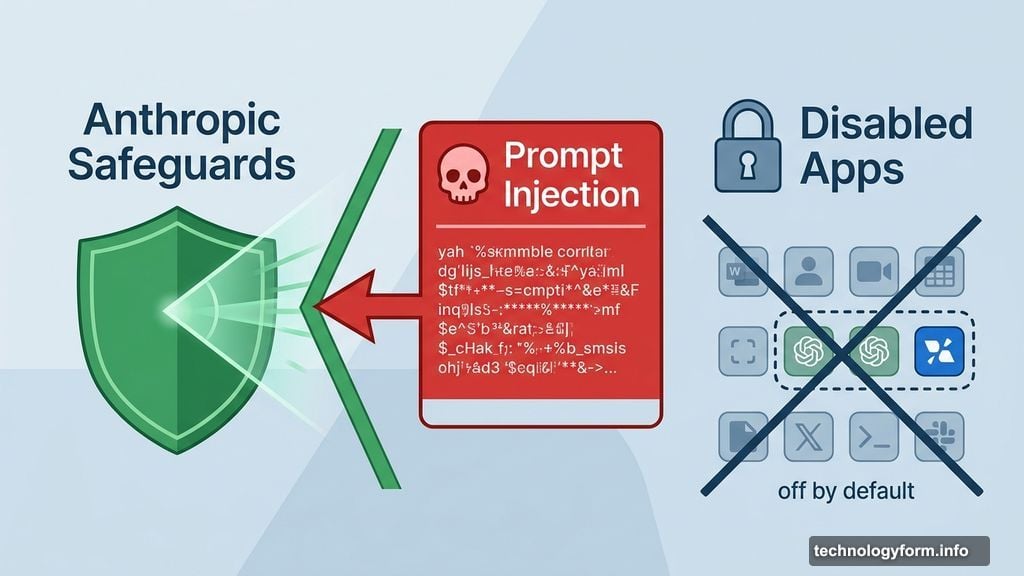
Cybersecurity experts have flagged a core concern with agentic AI: it can take significant actions quickly, sometimes with very little warning. Beyond that, AI agents can be hijacked through what’s called prompt injection — where malicious content tricks the AI into doing something harmful using your data or systems.
Anthropic says it has built in safeguards that automatically scan for prompt injections and other vulnerabilities as they’re discovered. That’s reassuring. But the company is also upfront about the limitations.
The feature is new, it may contain errors, and Anthropic specifically recommends avoiding apps that handle sensitive data. Some of those apps are disabled by default, which is a sensible precaution while the technology matures.
Dispatch Makes It Even More Powerful
Claude’s computer use pairs well with another Anthropic feature called Dispatch, which lets you assign tasks to Claude right from your phone.
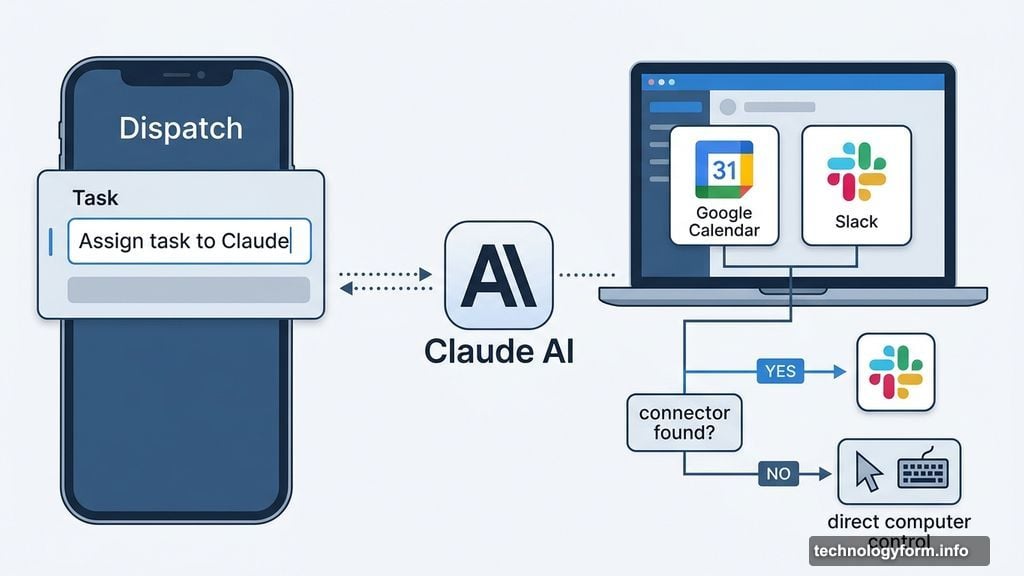
Together, the two features open up some genuinely compelling possibilities. You could have Claude check your email every morning and prepare a summary before you even sit down at your desk. Or you could kick off a Claude Cowork or Claude Code session remotely and have results waiting for you.
Anthropic gives the example of Claude running a full morning briefing or executing automated tests — all while you’re away from your machine entirely. That’s a meaningful shift in how AI fits into a daily workflow.
Still Early Days — But Worth Paying Attention To
Right now, the feature is a research preview. It’s available for Claude Pro and Claude Max subscribers on macOS only. Some complex tasks may not work perfectly on the first try.
Anthropic is transparent about why they’re releasing it now: they want early feedback to understand where the tool needs the most improvement. That’s a reasonable approach to rolling out something this powerful.
The technology isn’t perfect yet. But the direction is clear. AI that can act on your behalf — not just answer your questions — is becoming a real part of everyday computing. Getting comfortable with how it works, and where its limits are, seems like a smart move right now.