Google Drive Now Fights Back Against Ransomware With Auto-Restore
Ransomware attacks are ruthless. One moment your files are fine. The next, they’re locked behind a criminal’s paywall. But Google just made that nightmare a lot less scary for Drive users.
Google has officially rolled out ransomware detection and automatic file restoration to all Google Drive users. After a beta testing period that started in September of last year, these features are now live. And honestly, this is one of the most practical security upgrades cloud storage has seen in a long time.
What Ransomware Detection Actually Does
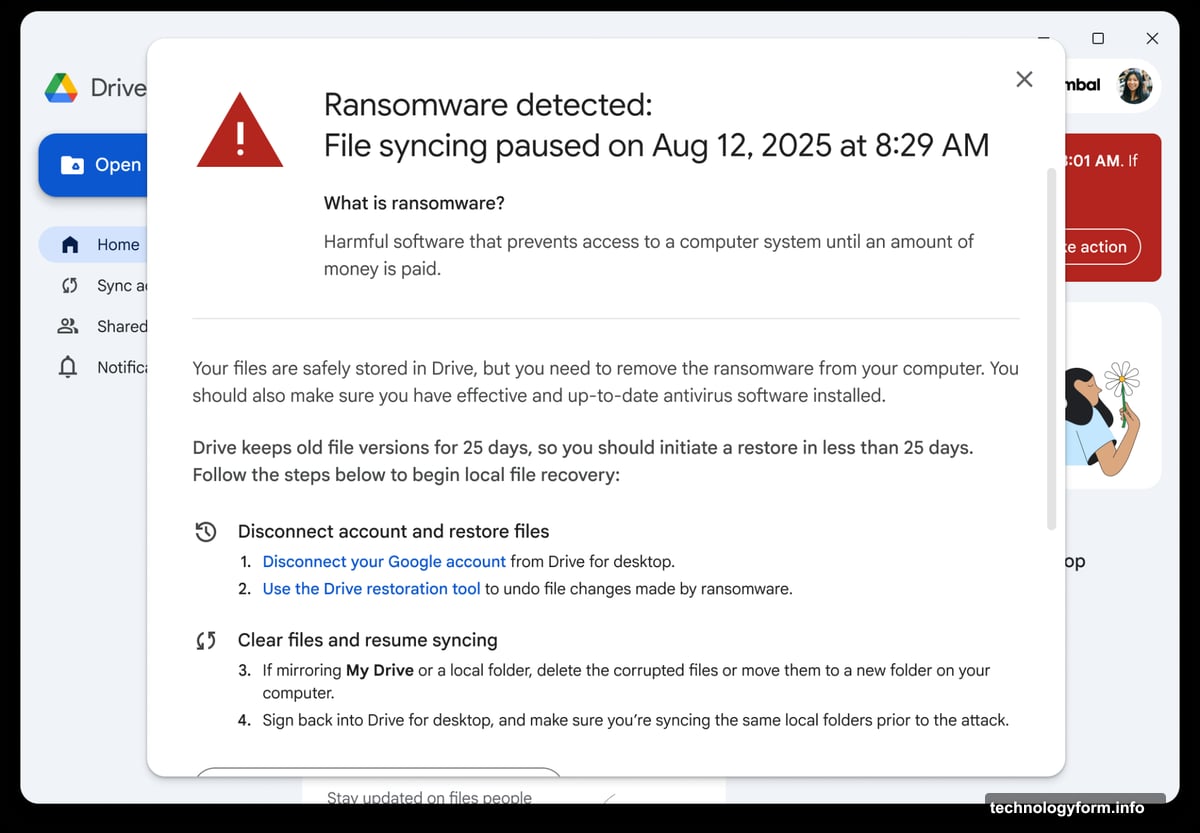
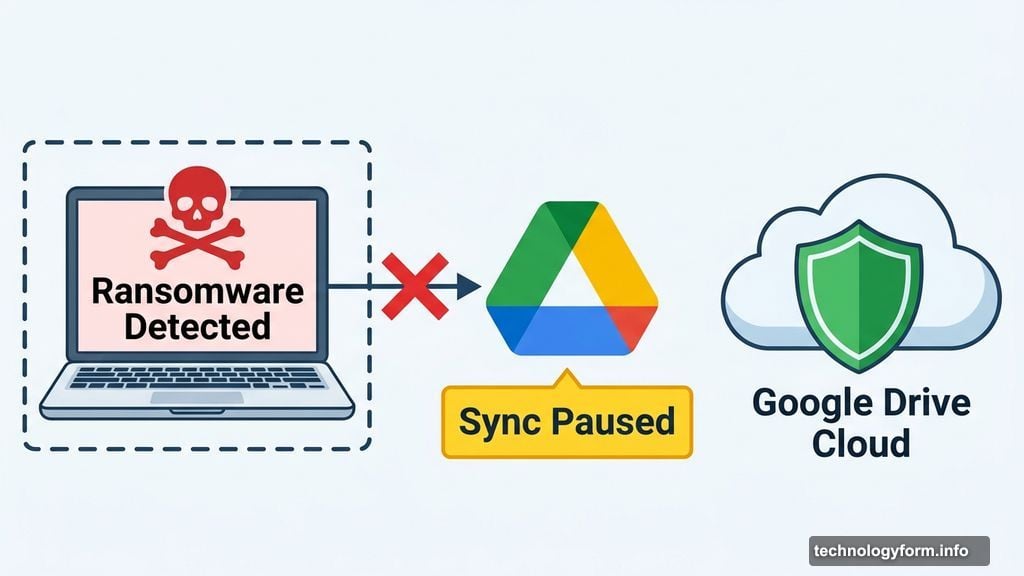
When Google Drive spots suspicious activity that looks like ransomware, it doesn’t just sit there. The desktop app automatically pauses cloud syncing right away.
That’s a big deal. Pausing the sync stops infected or encrypted files from spreading to your cloud backup. So instead of ransomware corrupting both your local files AND your Drive copies, you get a firewall moment where the damage stops.
Regular users see a clear warning box explaining what’s happening and what steps to take next. No confusing error codes. No cryptic alerts. Just plain guidance when you need it most.
Business Users Get Extra Protection
If you’re on a work computer, Google Drive takes things a step further. IT administrators receive an email alert the moment ransomware is detected on any machine in the organization.
That early warning gives IT teams a chance to respond fast. They can isolate the affected machine before the attack spreads across the network. For businesses, that response time can be the difference between a minor incident and a full-scale data disaster.
So this isn’t just a consumer feature. It’s a meaningful upgrade for companies that rely on Google Workspace every day.
Bulk File Restoration Changes the Math on Ransomware
Here’s where things get really interesting. Beyond detection, Google is also rolling out bulk file restoration.
Normally, ransomware victims face a brutal choice. Pay the criminals and hope they actually return your files. Or lose everything. Neither option is great. But now, Google Drive users have a third path.
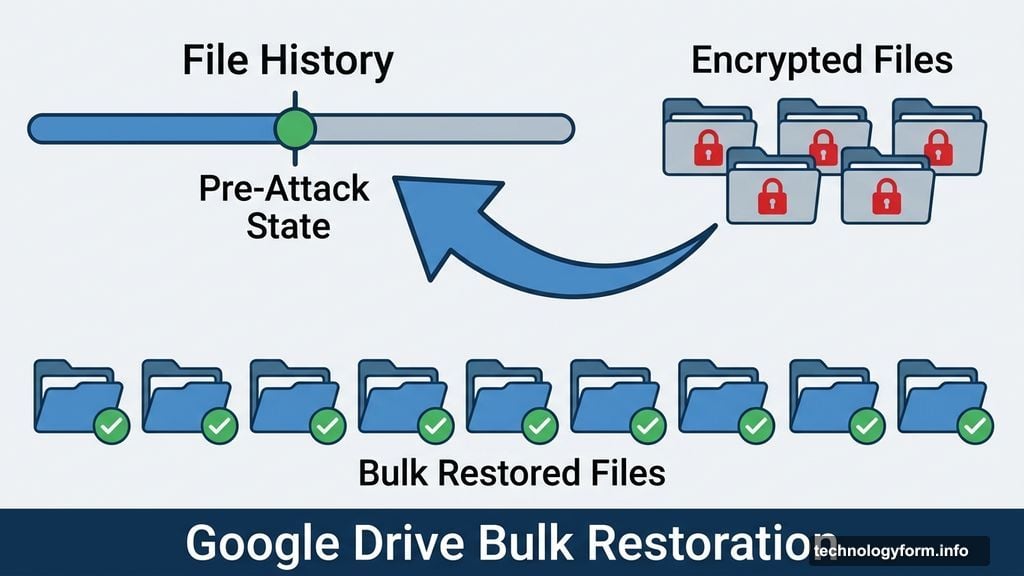
The restoration feature lets you roll back your files to their pre-attack state in bulk. You don’t have to manually recover file by file. Instead, you pick a point before the ransomware hit and restore everything from there.
That completely removes the financial pressure ransomware attackers count on. If you can recover your files for free with a few clicks, there’s no reason to pay a ransom at all. And that’s exactly the kind of leverage users need.
Why This Matters Right Now
Ransomware attacks have surged in recent years. Cybercriminals target everyone from individual users to hospitals and government agencies. The FBI consistently ranks it among the most damaging cyber threats facing both consumers and businesses.
Cloud storage was supposed to be a safety net against exactly this kind of attack. But until recently, ransomware could still sync its encrypted garbage straight into your Drive before anyone noticed. The sync feature that makes Drive so convenient was also its vulnerability.
Google’s new approach flips that script. The same sync process now includes a watchdog that catches suspicious behavior before it contaminates your cloud backup.
How to Make Sure You’re Protected
This rollout applies to users with the Google Drive desktop app installed. If you’ve been relying only on Drive through your browser, installing the desktop app is worth doing now.
The features are rolling out across Google Workspace and personal accounts. You don’t need to manually enable anything. Once the update reaches your account, the protection runs automatically in the background.
It’s a rare case where better security doesn’t require extra effort from the user. Google handles the heavy lifting. You just keep working normally, and Drive watches your back.
Ransomware isn’t going away anytime soon. But with automatic detection, instant sync pausing, and one-click bulk restoration, Google Drive just made it a much less terrifying threat to deal with.