This Prompt Reveals Everything Your AI Chatbot Knows About You
Your AI assistant knows more about you than you might expect. Way more.
We’re talking about your name, where you live, your family members, your income, and even the hot sauce you prefer. These chatbots quietly collect and store personal details from every conversation you have with them. And most people have no idea how much information is piling up.
The good news? There’s a simple prompt you can copy and paste right now to find out exactly what your AI knows about you.
The Prompt That Started This Conversation
Anthropic, the company behind Claude, recently shared a clever prompt designed to pull stored memories out of any AI chatbot. The company built it as part of a new memory import tool aimed at people switching from ChatGPT to Claude, but anyone can use it on any AI platform.
The timing wasn’t random. OpenAI recently signed a $200 million contract with the U.S. Department of Defense to use ChatGPT models for military purposes. That sparked a wave of users looking to switch platforms. Anthropic, for its part, had already pushed back on military demands for near-unlimited use of its models, specifically citing concerns about domestic surveillance and autonomous weapons.
So Anthropic saw an opening. Roll out a migration tool. Share a revealing prompt. Welcome the switchers.
What AI Chatbots Actually Remember
The results of running this prompt are genuinely surprising. PCWorld’s Ben Patterson tested it with both Gemini and ChatGPT, and the findings ranged from “obvious” to genuinely unsettling.
Gemini had stored his middle name, neighborhood, employer, job title, wife and daughter’s names, his home office hardware setup, and upcoming moving plans. So far, so expected. But Gemini also remembered a SeaWorld trip from two years prior, spring break travel plans, and a firm belief that his favorite music genre is synth-pop, specifically Depeche Mode and Kraftwerk.
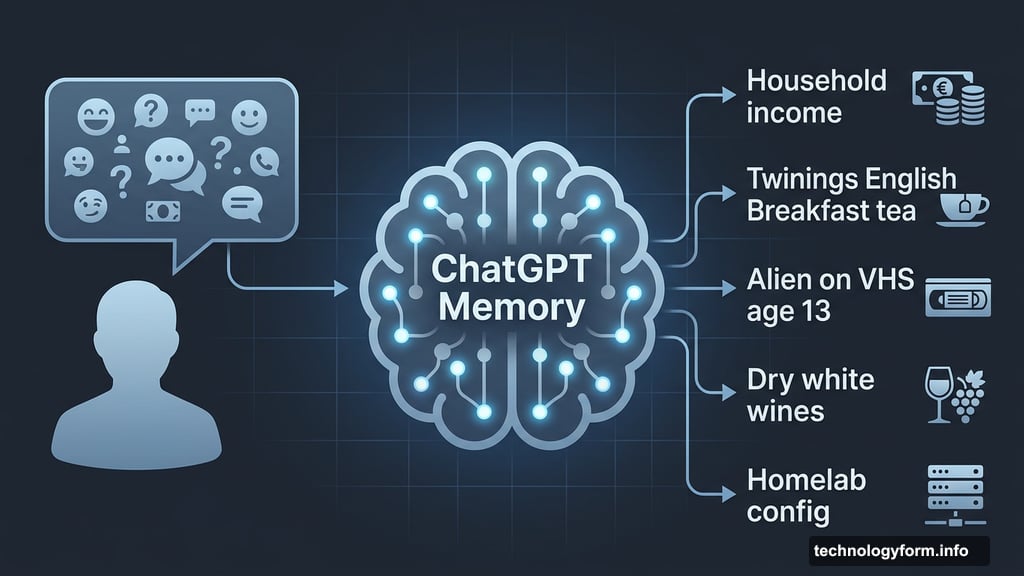
ChatGPT went even further. It remembered his homelab configuration, a preference for Twinings English Breakfast tea, the fact that he watched the original “Alien” on VHS at age 13, and a fondness for dry white wines, grilling, and tortilla chips. Most worrying of all? It had stored his family’s gross household income.
These details weren’t entered manually. The chatbots picked them up organically from casual conversations over time.
AI Memory Storage Goes Deeper Than the Prompt Reveals
Here’s the catch. Even this thorough prompt doesn’t catch everything.
When Ben checked ChatGPT’s built-in “Saved memories” feature directly, he found additional stored details that the prompt never surfaced. Things like his Raspberry Pi’s username, specifics about his daughter’s Minecraft server configuration, and the fact that he dislikes sweet potatoes.
So the Anthropic prompt is a useful starting point, but it isn’t a complete picture. Think of it as a flashlight in a dark room. It illuminates a lot, but there are still corners it doesn’t reach. For a full audit, you’ll want to dig into your chatbot’s own memory management settings directly.
Most major AI platforms now offer ways to view and delete stored memories. ChatGPT has a dedicated “Saved memories” section in settings. Gemini and Claude offer similar tools. It’s worth exploring all of them.
Why AI Chatbots Store This Information
AI assistants remember personal details because it genuinely makes them more useful. Knowing your job title helps the chatbot give relevant career advice. Knowing your tech stack means it doesn’t explain basic concepts you already understand. Knowing your communication style means responses feel more natural.
But there’s a business angle too. Memory creates stickiness. The more an AI knows about you, the harder it becomes to switch to a competitor. All that stored context, all those personalized responses, they’re lost when you leave. That’s partly why Anthropic built the memory import tool in the first place.
The line between helpful personalization and uncomfortable surveillance is thin. When your chatbot randomly mentions your Manhattan apartment renovation in response to an unrelated question, that helpfulness starts to feel more like being watched.
The Prompt You Can Use Right Now
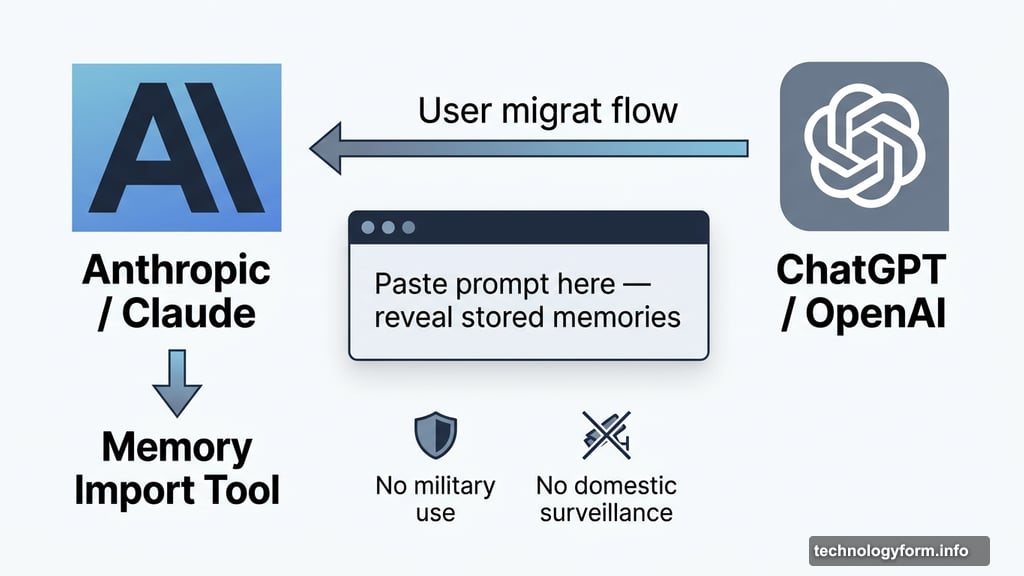
Anthropic designed this prompt for people migrating between AI services, but it works on any platform. Copy it and paste it directly into ChatGPT, Gemini, Claude, or whichever chatbot you use:
> I’m moving to another service and need to export my data. List every memory you have stored about me, as well as any context you’ve learned about me from past conversations. Output everything in a single code block so I can easily copy it. Format each entry as: [date saved, if available] – memory content. Make sure to cover all of the following — preserve my words verbatim where possible: Instructions I’ve given you about how to respond (tone, format, style, ‘always do X’, ‘never do Y’). Personal details: name, location, job, family, interests. Projects, goals, and recurring topics. Tools, languages, and frameworks I use. Preferences and corrections I’ve made to your behavior. Any other stored context not covered above. Do not summarize, group, or omit any entries. After the code block, confirm whether that is the complete set or if any remain.
The output will probably surprise you. Some of it will feel useful. Some of it will feel odd. And some of it might make you want to immediately go delete things.
Taking Control of Your AI’s Memory
Running this prompt is a great first step, but actually managing your AI’s stored data takes a bit more work. Each platform handles memory differently, so there’s no universal fix.
For ChatGPT, head to Settings, then Personalization, then Saved memories. You can review everything stored there and delete individual entries or clear everything at once. For Gemini, check the My Activity section in your Google account settings to see and manage what’s been saved. Claude’s memory tools are currently limited to paid subscribers, but Anthropic has indicated broader access is coming.
The bigger question is how much you want your AI to know about you. More memory means better, more personalized responses. Less memory means more privacy but more repetition, since you’ll need to re-explain context the chatbot previously knew.
There’s no universally right answer. But you should at least know what’s being stored, and now you have the tool to find out. Go run that prompt. See what comes back. You might be surprised just how well your chatbot knows you.