Vibe Coding for Beginners: 6 Lessons I Learned Building Apps Without Writing Code
I’ve never been a real programmer. My coding knowledge comes from random Linux tinkering, copy-pasted Python scripts, and a graveyard of abandoned online courses.
But I’ve built working web apps. Event calendars. Horror movie galleries. Even recreations of childhood PC games. All by talking to AI chatbots using plain English.
That’s vibe coding. And if you’re curious about creating apps without traditional programming skills, these six lessons will save you hours of frustration.
Your Chatbot Choice Actually Matters
Not all AI models work the same way for vibe coding. The difference between “fast” and “thinking” models is bigger than you’d expect.
I learned this the hard way. Building the same app with Gemini 2.5 Flash versus Gemini 3 Pro required completely different approaches. Flash demanded more specific instructions and left me doing manual code edits. Pro handled the heavy lifting automatically.
Fast models often provide only the changed code sections. So you’re left copying and pasting pieces together. Thinking models typically give you the complete updated code after each change.
Here’s what worked for me. If you’re comfortable editing code snippets, fast models work fine with detailed prompts. But if you want minimal technical work, stick with advanced reasoning models.
Getting to know your chosen chatbot takes practice. Use it casually first. Ask questions about its capabilities. The experience you gain from general use translates directly to better vibe coding results.
Specificity Makes or Breaks Your First Attempt
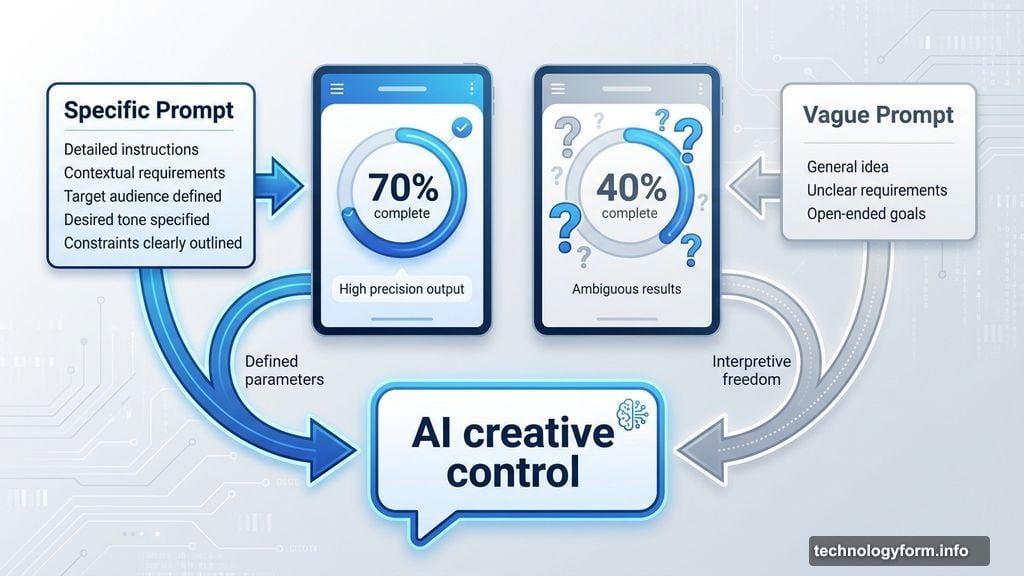
Vague prompts create vague apps. Detailed prompts create detailed apps. Simple as that.

If you know exactly what you want, dump everything into your initial prompt. Make it exhaustive. Include features, layout preferences, color schemes, functionality details. The chatbot will build what it can from that foundation.
On the other hand, loose ideas give AI more creative control. Sometimes that works beautifully. Other times you’ll spend twice as long refining because the initial output missed your vision.
I’ve tried both approaches. Detailed prompts get you 70% there immediately. Loose prompts require more iteration but occasionally surprise you with clever solutions you hadn’t considered.
Choose your approach based on how clear your vision is. Crystal clear idea? Be specific. Exploring possibilities? Give AI some room to experiment.
Refinement Takes Longer Than Creation
Your dream app won’t appear after one or two prompts. Most of your time goes into asking for changes and improvements.
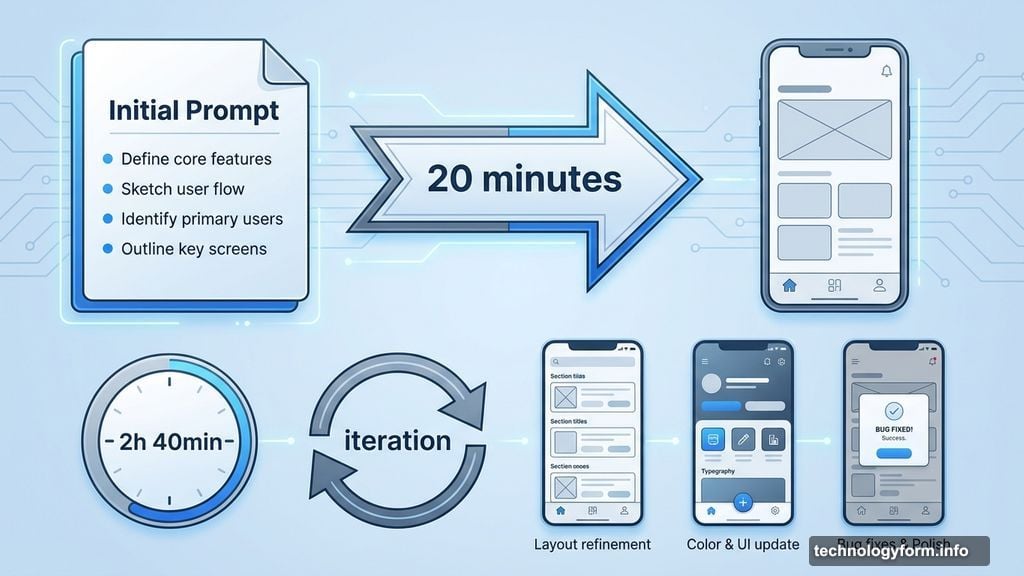
I spent three hours on my event calendar app. About 20 minutes went to the initial creation. The remaining time? Pure iteration. Adjusting layouts, fixing bugs, tweaking colors, improving functionality.
When you hit a wall, ask the chatbot for suggestions. It’ll offer multiple ways to improve your app or solve a problem. Sometimes those suggestions are better than what you originally planned.
Think of vibe coding like sculpting. You start with a rough shape, then gradually refine it through dozens of small adjustments. Patience pays off here.
Learn Just Enough Technical Stuff
Non-coders need to understand a few technical concepts. But you can use the chatbot as your teacher.
Format matters. For simple web apps, single-file HTML works best. Everything lives in one file that opens directly in your browser. No folders, no complications. Ask for this format specifically if you want the simplest testing process.
Single-file HTML has limits though. Large apps can overwhelm the chatbot’s memory. If that happens, ask the chatbot about better formats for your project size.
Scale awareness helps. The chatbot can’t build you a social network. But an audio visualizer? A photo gallery? A simple game? Totally doable. Just ask the chatbot upfront if your idea is feasible. It’ll tell you honestly.
Bug testing is mandatory. Sometimes the chatbot provides broken code. You need to test your app repeatedly and report exactly what breaks. “This doesn’t work” is useless feedback. “The submit button doesn’t respond when clicked” helps the AI fix the actual problem.
Flexibility Unlocks Better Results
Rigid expectations create unnecessary frustration. Keep an open mind about how your app works.
You probably don’t know all the possibilities available through vibe coding. That means you’ll underestimate what’s achievable as often as you overestimate. Both mistakes waste time.
Things will break. The chatbot might forget previous instructions. Technical limitations might block your exact vision. Bugs will appear for mysterious reasons.
When that happens, ask for alternative approaches. Often the workaround solution works better than your original plan. I’ve had this happen multiple times where the “compromise” became my preferred implementation.
Plus, asking questions reveals capabilities you didn’t know existed. The chatbot might suggest features you’d never considered that perfectly solve your problem.
Starting Over Isn’t Failure
Sometimes the best move is wiping the slate clean. After countless iterations without getting closer to your goal, start fresh.
You can either begin completely from scratch or use the code from your original chat as a baseline. Both approaches have merit depending on how far off track things went.
Starting a new conversation prevents the AI from getting confused by contradictory instructions from earlier. You’ve also identified which prompts sent your project backwards. Avoid those mistakes the second time around.
Fresh starts aren’t just about the chatbot getting it right. They reset your creative flow too. I’ve found that stepping away, then starting over with lessons learned, produces better results than stubbornly iterating on a broken foundation.
The Real Learning Curve
Vibe coding isn’t actually about coding. It’s about communicating ideas clearly, recognizing when to pivot, and understanding that creation is inherently iterative.
Traditional programming requires learning syntax and logic structures. Vibe coding requires learning effective communication with AI and maintaining patience through refinement cycles.
Both skills are valuable. But vibe coding opens app creation to people who’d never write traditional code. That’s genuinely exciting.
Your first vibe coding project won’t be perfect. Mine wasn’t. But each attempt teaches you how to prompt better, when to ask for alternatives, and which chatbot behaviors to expect.
Start small. Build something simple. Learn the process. Then tackle bigger projects with that experience backing you up.
The barrier to entry has never been lower. You just need an idea and the willingness to iterate until it works.