Google Photos Just Got Smarter. These AI Tools Actually Work
Google Photos dropped a bunch of new AI features this week. But here’s what matters: they’re not just gimmicks.
The company rolled out prompt-based editing for iOS users, expanded natural language search to over 100 countries, and added a new Ask button that acts like ChatGPT for your photo library. Plus, they’re bringing those viral AI image styles everyone’s been sharing.
Most photo apps add AI features that nobody uses. Google took a different approach. They focused on solving real editing headaches.
Edit Multiple People at Once
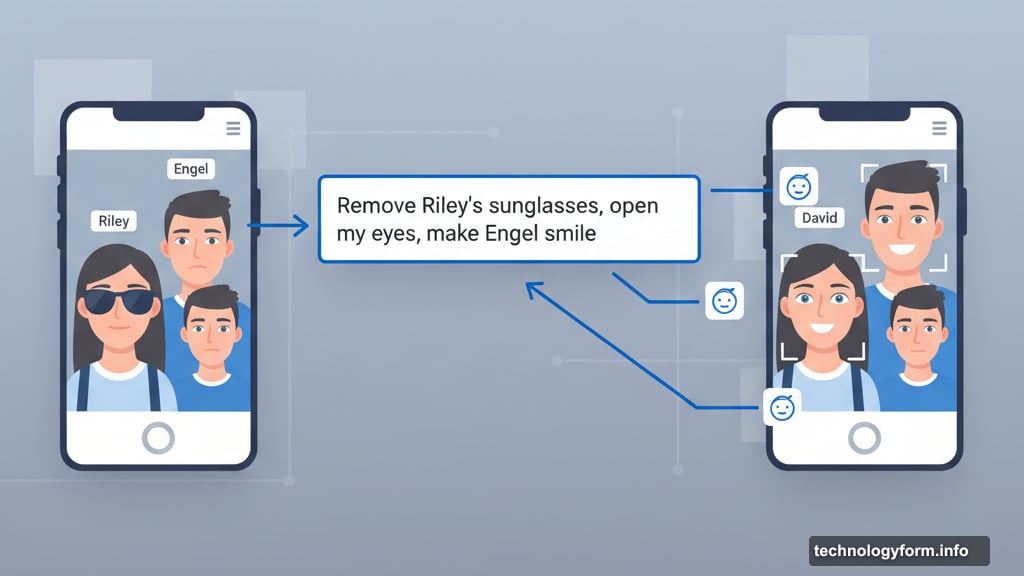
The standout feature? Personalized edits that recognize faces in your photos.
Type one instruction. Google Photos applies different edits to different people. For example: “Remove Riley’s sunglasses, open my eyes, make Engel smile, and open her eyes.”
That’s four separate edits in one request. Previously, you’d need to manually edit each person. Or use complex desktop software. Now it happens in seconds.
The feature connects to Google Photos’ existing face grouping system. So it already knows who’s who in your library. That means instructions like “fix Sarah’s red eyes” work even if multiple people appear in the shot.
This launches first on iOS in the U.S. Android support follows soon. The company didn’t announce exact timing for other regions yet.
Nano Banana Comes to Google Photos
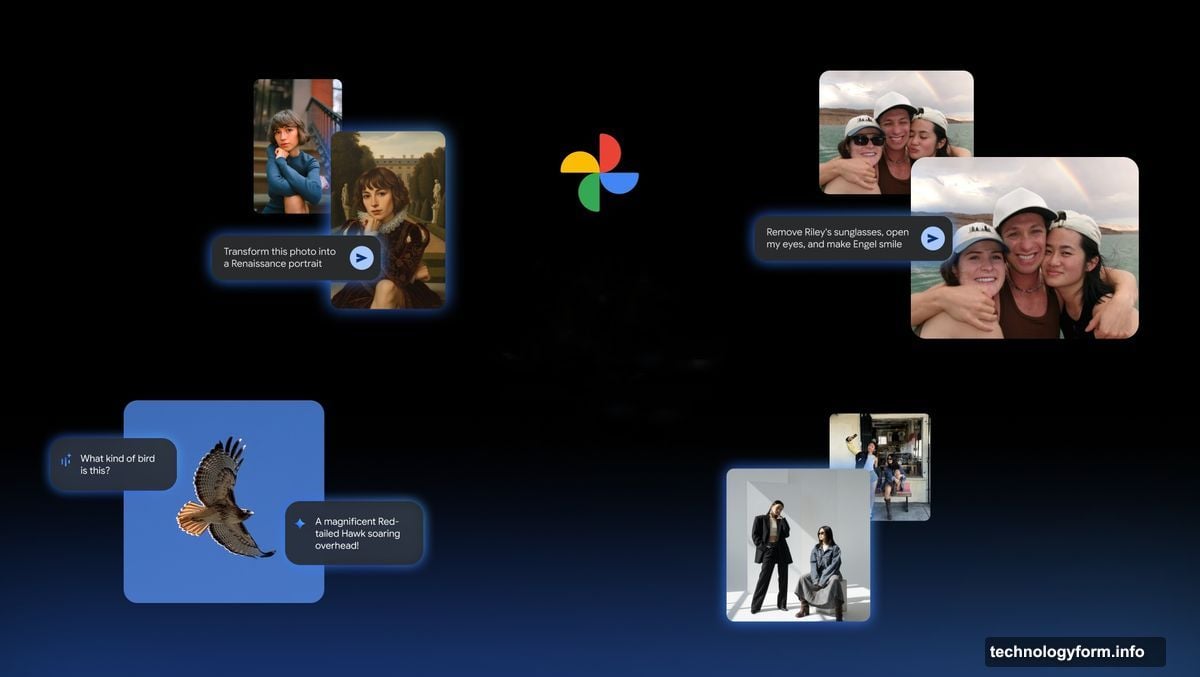
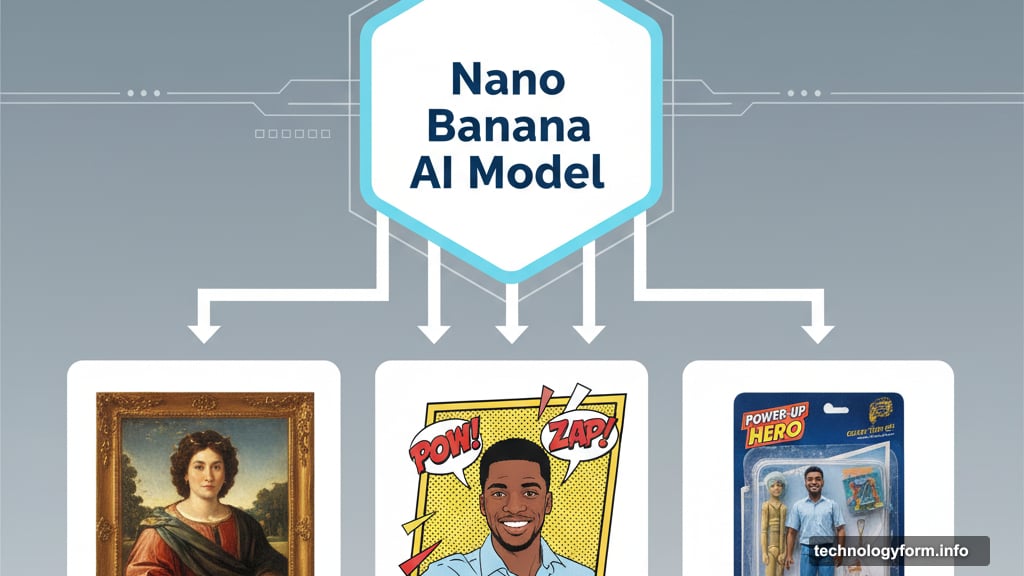
Remember those viral Renaissance portrait remakes? That’s Nano Banana, Google’s AI image model.
Now it’s built directly into Google Photos. Users can recreate their photos in completely different styles. Turn a selfie into a cartoon strip. Convert a family photo into a vintage action figure package. Transform portraits into classical paintings.
The feature includes pre-made templates for popular styles. Users can also describe custom styles through text prompts. Want your photo as a 1950s movie poster? Just ask.
Nano Banana rolls out next week on Android in the U.S. and India. Those two markets showed the highest usage of the model in Google’s testing. Expansion to other regions depends on demand.
Here’s the catch: these AI transformations work best with clear, well-lit photos. Low-quality images produce inconsistent results. So don’t expect magic from grainy old photos yet.
Search Gets Actually Useful
Natural language search expanded to over 100 countries. That’s huge.
Previously, only U.S. users could search their photos using normal sentences. Now users in Argentina, Australia, Brazil, Chile, Colombia, India, Indonesia, Japan, Mexico, New Zealand, Saudi Arabia, Singapore, South Africa, and dozens more countries get access.
The feature supports 17 new languages including Arabic, Bengali, French, German, Hindi, Indonesian, Italian, Japanese, Portuguese, and Spanish. So you can search in your native language.
What does natural language search actually do? Instead of searching “beach 2024,” you can type “photos of my dog playing at the beach last summer.” Google Photos understands context, relationships, and time.

The AI analyzes image content, location data, face recognition, and photo metadata. Then it surfaces relevant results even when you use conversational phrases.
This matters more than it sounds. Most people don’t remember exact dates or specific keywords. But they remember situations. Natural language search bridges that gap.
The Ask Button Changes Everything
Google added a new Ask button that serves as an AI assistant for your photos.
Press it. Then ask questions about the image, request edits, or find related moments. The button appears directly in the photo viewer on iOS and Android in the U.S.
Google includes suggestion chips showing possible actions. Things like “Who’s in this photo?” or “Find similar photos from this trip” or “Make this image pop.”
Behind the scenes, the Ask button connects to Gemini, Google’s large language model. That gives it strong understanding of context and instructions. It can interpret vague requests like “make this better” based on the specific image.
The feature launches first in the U.S. Google plans international expansion but didn’t announce a timeline. Likely depends on Gemini’s language support in each region.
Who Gets What and When
Feature availability breaks down like this:
Available now:
- Natural language search in 100+ countries
- Ask button on iOS and Android in the U.S.
- Prompt-based editing on iOS in the U.S.
Coming next week:
- Nano Banana templates on Android in U.S. and India
Timeline unclear:
- Personalized face editing (iOS first, then Android)
- International expansion of Ask button
- Nano Banana in other countries
Google didn’t mention Google One subscription requirements. That’s notable. Most advanced editing features previously required paid subscriptions. Keeping these new tools free would be a major win for users.
The Competition Isn’t Close
Apple Photos added similar AI search. But it’s not as flexible. Samsung Gallery has AI editing. But it’s clunky.
Google Photos now offers the most comprehensive AI toolkit. Natural language search works better than competitors. The editing features require fewer steps. And the integration feels seamless.
Plus, Google Photos is free with 15GB of storage. That’s generous compared to Apple’s 5GB or Samsung’s limited free tier.
The company clearly invested heavily in making AI feel useful rather than forced. Most apps add AI features as checkbox items. Google actually solved real user problems.
Why This Matters for You
These updates make photo management genuinely easier.
Finding old photos takes seconds instead of minutes. Editing no longer requires learning complex tools. Creating fun variations happens with simple text prompts.
That’s the practical value. But there’s also a broader shift happening. Google Photos is becoming less of a storage app and more of an AI-powered photo assistant.
The Ask button exemplifies this. Users don’t need to know what’s possible. They just ask. The AI figures out the rest.
This approach could define the next generation of photo apps. Less manual searching and editing. More natural interaction through conversation.