Bluetooth Audio Codecs Decoded: What AAC, AptX, and LDAC Actually Mean
Wireless headphones work like magic. Tap a button, music flows. No wires, no hassle.
But behind that simple connection lives a complex conversation. Your phone speaks to your earbuds using something called a codec. And that codec determines whether your music sounds crisp or compressed.
Most people never think about codecs. They shouldn’t have to. Yet understanding the basics helps when you’re spending $200 on premium earbuds or wondering why your Android sounds different than your friend’s iPhone.
Let’s break down what these acronyms mean and whether you should care.
What Actually Is a Codec
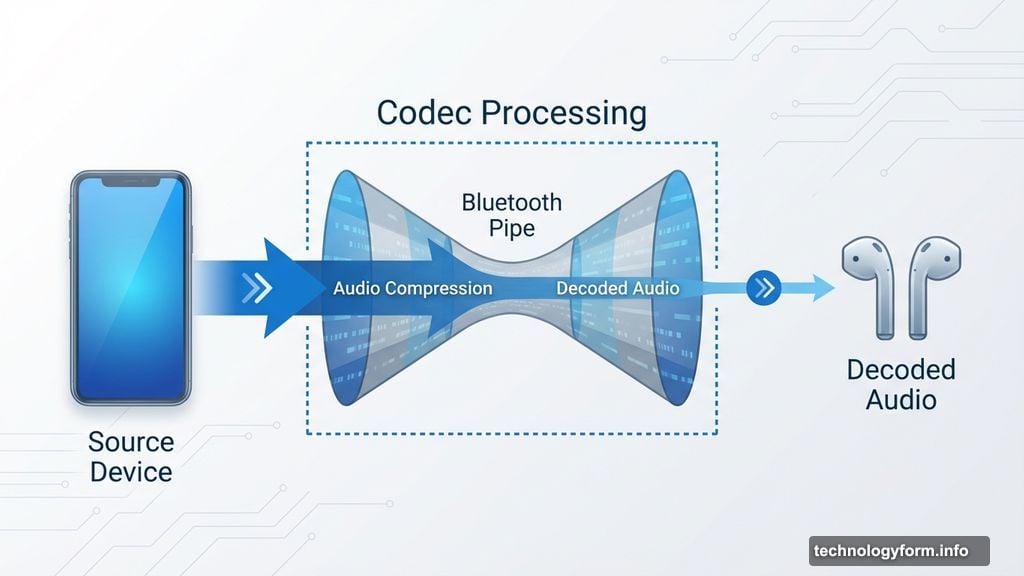
Think of Bluetooth as a phone line connecting your device to your headphones. The codec is the language spoken over that line.
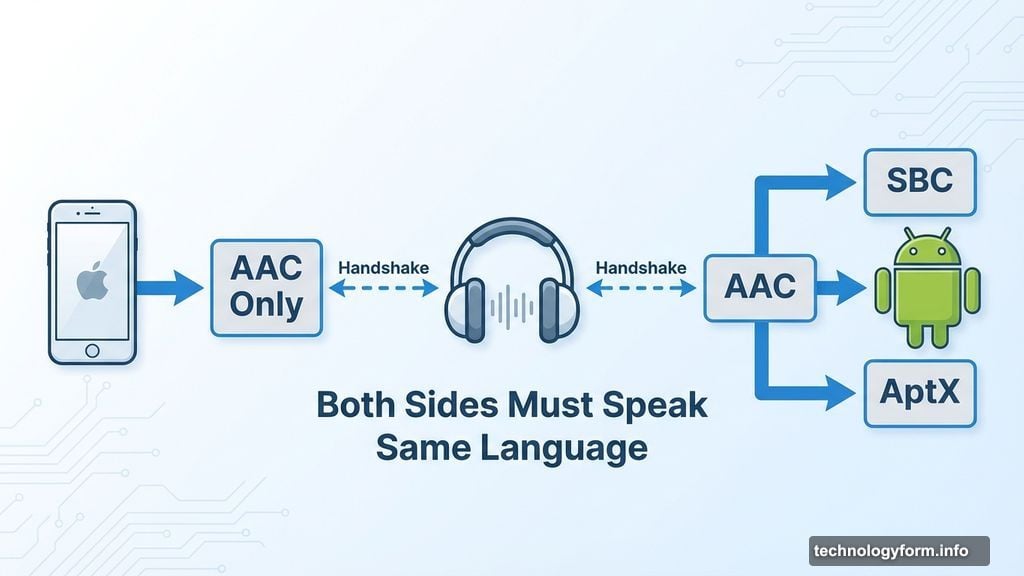
Both sides need to understand the same language. Your phone encodes audio data, your headphones decode it. That handshake happens automatically when devices connect.
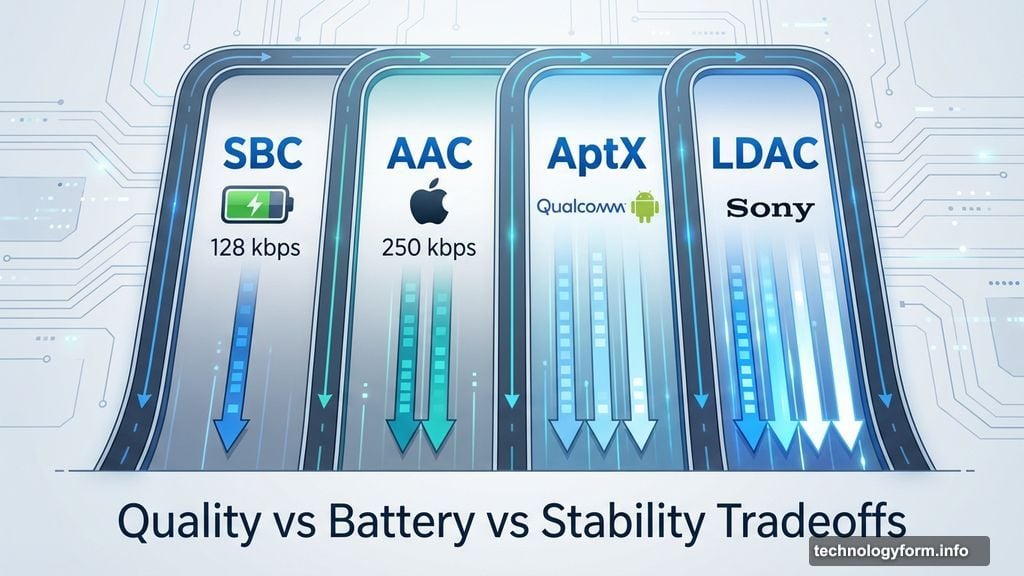
The term “codec” mashes together “coder” and “decoder.” Pretty straightforward. But different codecs work differently. Some prioritize sound quality. Others focus on stability or battery life. Most balance all three.
Here’s what matters: codecs must squeeze audio through Bluetooth’s limited bandwidth. Even CD-quality audio requires compression to fit. So every codec makes tradeoffs.
SBC: The Universal Baseline Everyone Uses
Every Bluetooth device speaks SBC, or “Low Complexity Subband Coding.” It’s the default language ensuring all gear works together.
SBC was designed for simplicity. Low processing requirements mean better battery life. Minimal complexity means any device can support it.
But SBC gets a bad reputation. People call it low quality. That’s not entirely fair.
SBC can sound bad when manufacturers implement it poorly. Lower bit rates definitely hurt quality. Yet properly configured SBC sounds surprisingly decent for most listening.
The newer LC3 codec promises better quality at similar bit rates. It’s part of Bluetooth 5.2 and newer. But adoption remains limited since both your phone and headphones need support.
AAC: Apple’s Codec of Choice
Apple devices default to AAC, or Advanced Audio Coding. Yes, it shares a name with iTunes audio files. No, they’re not the same thing.
AAC uses more complex processing than SBC. That complexity delivers better sound at similar or lower bit rates. It’s why your AirPods sound pretty good despite transmitting relatively little data.
Historically, AAC worked better on iPhones than Android phones due to encoding differences. These days that matters less since Android devices typically support other options.
For iPhone users, AAC is your only option. Fortunately, it’s quite good. Apple optimized it heavily. Plus, maximum bit rates around 250 kbps prove sufficient for most music.
Android users can force AAC, but there’s rarely a reason. Better options exist.
AptX: Android’s Answer in Multiple Flavors
Qualcomm owns AptX. It’s the Android equivalent of Apple’s AAC, but more complicated.
Several AptX variants exist. Both devices must support the same version. Yet figuring out which one you’re actually using proves nearly impossible.
Standard AptX appeared first. It’s mostly found on older gear now. Better than SBC’s worst implementations, but nothing special.
AptX HD promised higher quality. It supports up to 576 kbps bit rates and 24-bit depth versus the standard 16-bit. Most features migrated into AptX Adaptive.
AptX Low Latency tackles gaming. Regular Bluetooth introduces lag between screen action and audio. AptX LL reduces latency to 30-40 milliseconds. Rare in products, though.
AptX Adaptive combines everything. It handles up to 420 kbps in most cases. Plus, it dynamically adjusts bit rate when signal strength drops. That prevents audio cutting out when you walk away from your phone.
The catch? You can’t tell what quality you’re getting. AptX Adaptive adapts silently. Plus, implementation varies wildly between devices.
Qualcomm also markets “Snapdragon Sound,” which indicates higher-quality AptX support. But even that lacks specificity.
LDAC and AptX Lossless: The High-Fidelity Promise
Two codecs promise audiophile-grade wireless audio. Both support extremely high bit rates. Both face practical limitations.
Sony’s LDAC transmits up to 990 kbps. That theoretically enables CD-quality lossless audio. But LDAC varies bit rate automatically (330, 660, or 990 kbps). So you might not get the highest quality by default.
Forcing maximum quality requires diving into Android developer settings. Even then, maintaining 990 kbps proves difficult. Environmental interference or distance drops bit rate automatically.
AptX Lossless reaches up to 1,200 kbps. That pushes Bluetooth’s absolute bandwidth limits. Qualcomm promises lossless CD-quality transmission at maximum rates.
But like LDAC, real-world usage rarely achieves maximum quality. Walls, distance, and wireless interference force the codec down to AptX Adaptive levels.
Both codecs exist mainly in Sony headphones (LDAC) or specific Android devices (AptX Lossless). Support remains limited compared to standard AptX or AAC.
Lesser-Known Codecs Worth Mentioning
Samsung developed Samsung Seamless Codec for its devices. MQair came from the MQA audio company. LHDC and L2HC occasionally appear in Chinese products.
Unless your specific devices support these, ignore them. Manufacturers create proprietary codecs to avoid licensing fees. Are they better? Maybe. Different enough to matter? Probably not.
Does the Codec Actually Matter
Here’s the uncomfortable truth: not much.
Yes, with excellent headphones in a quiet room, you’ll hear differences between SBC at its worst and premium codecs at their best. But that difference stays subtle unless something’s broken.
Plus, you’re probably not hearing the codec itself. Implementation varies so much that any perceived difference could come from elsewhere in the signal chain.
What impacts sound quality far more:
Better headphones make the biggest difference. A $300 pair with SBC destroys a $50 pair with LDAC.
Proper fit matters enormously for earbuds. A good seal blocks noise and improves bass response.
Quiet environments eliminate distractions. Hard to appreciate codec quality on a noisy subway.
Higher quality streams help more than better codecs. Qobuz, Tidal, and Apple Music all beat Spotify for raw audio quality. Though Spotify finally added lossless.
Changing your codec won’t transform $150 earbuds into $500 ones. That’s impossible unless settings were catastrophically wrong.
It might, however, provide slightly better sound. Or more stable connection in crowded wireless environments. That’s worth five minutes checking Android settings.
Codec Comparison Quick Reference
Different codecs support different maximum specifications:
SBC handles up to 48 kHz sample rates, 16-bit depth, 345 kbps bit rate. Found everywhere.
AAC reaches 44.1 kHz, 16-bit, 250 kbps. Apple devices, many headphones, some Android.
AptX supports up to 48 kHz, 16-bit, 384 kbps. Common on Android and many headphones.
AptX HD pushes 48 kHz, 24-bit, 576 kbps. Some Android devices and headphones.
AptX Adaptive handles up to 96 kHz, 24-bit, 420 kbps. Newer Android and headphones.
AptX Lossless theoretically reaches 96 kHz, 24-bit, 1,200 kbps. Limited device support.
LC3 works up to 48 kHz, 32-bit, 245 kbps. Bluetooth 5.2 and newer.
LDAC supports up to 96 kHz, 24-bit, 330-990 kbps variable. Sony devices and Android.
Remember: bit rate alone doesn’t determine quality. Codecs like AAC use psychoacoustic modeling to sound better than raw numbers suggest.
Choosing Between Headphones Based on Codecs
You’re eyeing two headphones. One sounds amazing but “only” supports AAC and standard AptX. The other sounds okay but boasts LDAC and AptX Lossless.
Choose the better-sounding one. Every time.
Codec support matters less than actual sound quality. Frequency response, driver design, and tuning eclipse codec differences. Always prioritize what you hear over specification sheets.
Plus, those high-bit-rate codecs rarely maintain maximum quality in real use. You’ll spend most listening time at lower bit rates anyway.
If you’re already happy with your headphones, checking codec settings might squeeze out marginal improvements. But it won’t revolutionize your experience. Especially if you’re listening to compressed Spotify streams.
Save yourself the codec obsession. Focus on better gear and higher-quality sources first.
The codec conversation matters mostly to engineers and audiophile forum warriors. For everyone else? Just connect and enjoy your music.