Google Just Stuffed Its Image Editor Into Everything You Use
Google’s Nano Banana AI model started as an experiment. Now it’s everywhere.
The tech giant quietly rolled out conversational image editing across Search, Photos, and NotebookLM. So you can modify images with simple text prompts without opening a separate app. Plus, the timing feels aggressive. Google wants this AI baked into your daily workflow before you even realize what happened.
Search Gets Visual Editing Powers
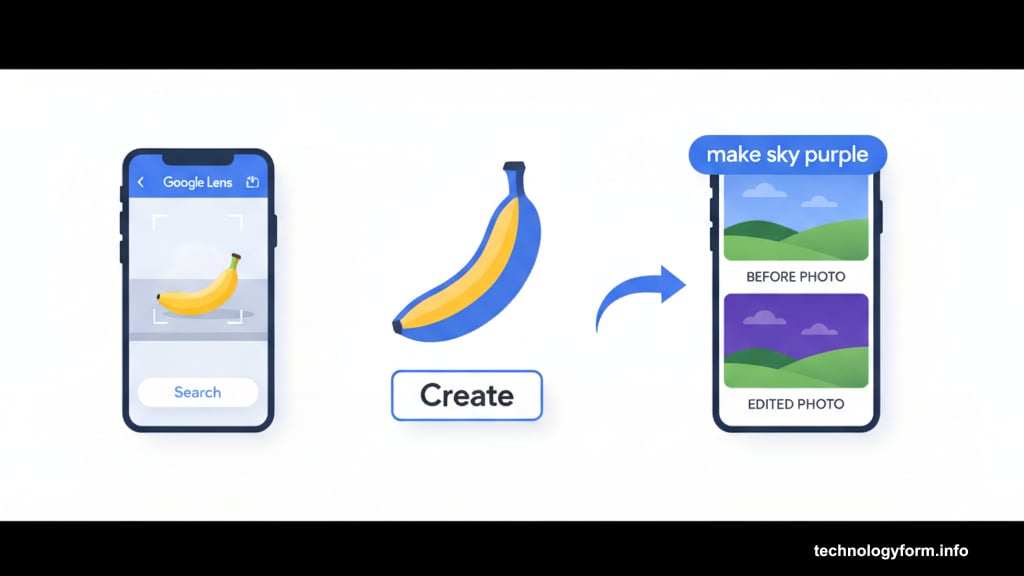
Google Lens now sports a “Create” button with a banana icon. Tap it after snapping a photo, and you can tell the AI exactly how to change the image.
The process flows naturally. Take a photo in Lens. Hit Create. Type your prompt. Watch the AI edit happen in real-time. Then you can continue tweaking through follow-up prompts in AI Mode.
But here’s the interesting part. Google designed two separate entry points for this feature. You can also start fresh in AI Mode by selecting “Create image” and entering a prompt. So whether you’re editing existing photos or generating new ones, the conversational interface stays consistent.
That consistency matters. Google trained users on one AI interaction pattern. Now they’re applying it everywhere. Smart strategy, even if it feels a bit invasive.
Photos App Gets the Good Stuff (Eventually)
Google Photos added conversational editing last month. But it wasn’t using Nano Banana. Instead, users got stuck with an older, less impressive model.
That changes in the next few weeks. Google claims Nano Banana represents a “major upgrade” over previous image-editing tech. So those frustrating edits that didn’t quite work? They should improve dramatically.
The delay seems odd though. Google launched this feature in Photos using inferior technology, then promised the better version “soon.” Why not wait and ship the good version first? Presumably, they wanted the feature announced and live, even if it wasn’t ready for prime time.
NotebookLM Gets Style Options
NotebookLM’s video overviews now come in multiple flavors. Nano Banana powers new style options including whiteboard, anime, retro print, and more. The original “Classic” style remains available too.
Google also added a “Brief” format alongside the existing “Explainer” option. You can include prompts to guide the video’s direction. However, this being generative AI, results aren’t guaranteed. The output might ignore your carefully crafted instructions entirely.
Still, the style consistency should improve. Nano Banana delivers more predictable results than earlier models. So your NotebookLM videos will look more polished, even if the content doesn’t always match your vision perfectly.
The Real Strategy Behind This Rollout
Google isn’t just adding features. They’re creating dependencies.
Every time you edit an image in Search, you’re training yourself to use Google’s AI tools. Each NotebookLM video you generate reinforces that habit. When Photos finally gets the upgrade, you’ll already be comfortable with conversational editing.
This approach differs from competitors. Apple keeps AI features optional and clearly labeled. Microsoft pushes Copilot but doesn’t integrate it quite this deeply. Google’s betting that seamless integration beats explicit choice.
Will it work? Probably. Most users won’t even notice they’re using AI image editing. It’ll just become “how Google works.” That’s either convenient or concerning, depending on your perspective.
Testing Reality vs Marketing Claims
Google touts Nano Banana as a “major upgrade.” Testers seem to agree. The model delivered impressive results during summer experiments. But real-world performance often diverges from controlled testing.

The Photos app will be the real test. Conversational editing needs to work consistently, not just sometimes. If Nano Banana can’t handle common editing requests reliably, users will abandon the feature quickly.
Plus, there’s the quality question. Generative AI produces unpredictable results. Sometimes brilliant, sometimes baffling. Google needs Nano Banana to land in the “mostly reliable” zone to justify this aggressive rollout.
What This Means for Casual Editing
Professional photo editing isn’t going anywhere. Photoshop and similar tools offer precision that AI can’t match yet. But casual editing? That’s changing fast.
Most people just want to remove backgrounds, adjust lighting, or swap objects. Nano Banana handles these tasks through simple text prompts. No learning curve. No complicated menus. Just describe what you want.
That simplicity threatens traditional editing apps. Why learn complex software when you can just ask for changes? Google’s betting that convenience beats capabilities for most users. They’re probably right.
The Photos integration matters most here. People already use Google Photos for storage and organization. Adding powerful editing through natural language removes friction completely. Snap, edit, share. All in one app.
The Competitive Pressure
Google’s not alone in this race. Apple’s integrating AI across iOS. Meta’s pushing AI features on Instagram and Facebook. Microsoft’s Copilot appears everywhere in Windows.
But Google’s approach feels more aggressive. They’re not asking if you want AI image editing. They’re just adding it to tools you already use daily. Opt-out instead of opt-in.
That strategy works until it doesn’t. User backlash could force Google to scale back. Or people might embrace the convenience and never look back. The next few months will reveal which direction this goes.