Google Trends Just Got Smarter. Gemini Now Does Your Research
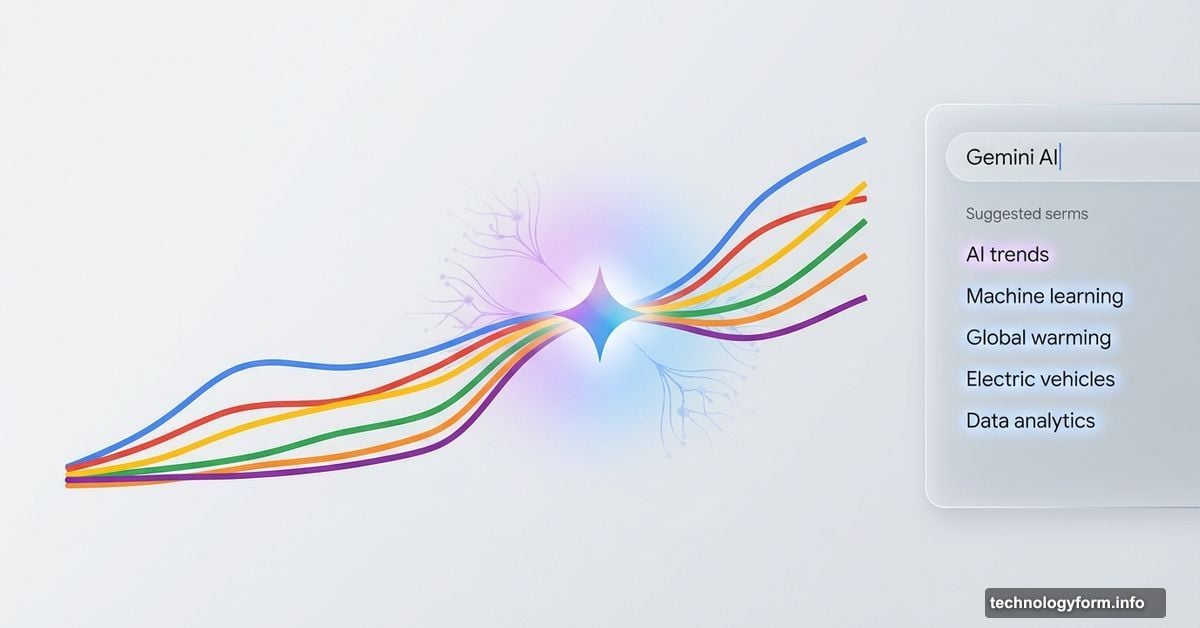
Google dropped a major upgrade to Trends Explore this week. The page now includes Gemini AI that automatically spots connections between search trends and suggests related topics you might miss.
This matters because Trends Explore has become essential infrastructure for journalists, marketers, and researchers. But using it meant clicking through dozens of terms manually to find patterns. Now Gemini handles that busy work for you.
The update rolled out on desktop starting Wednesday. Mobile support comes later.
What Changed in the Interface
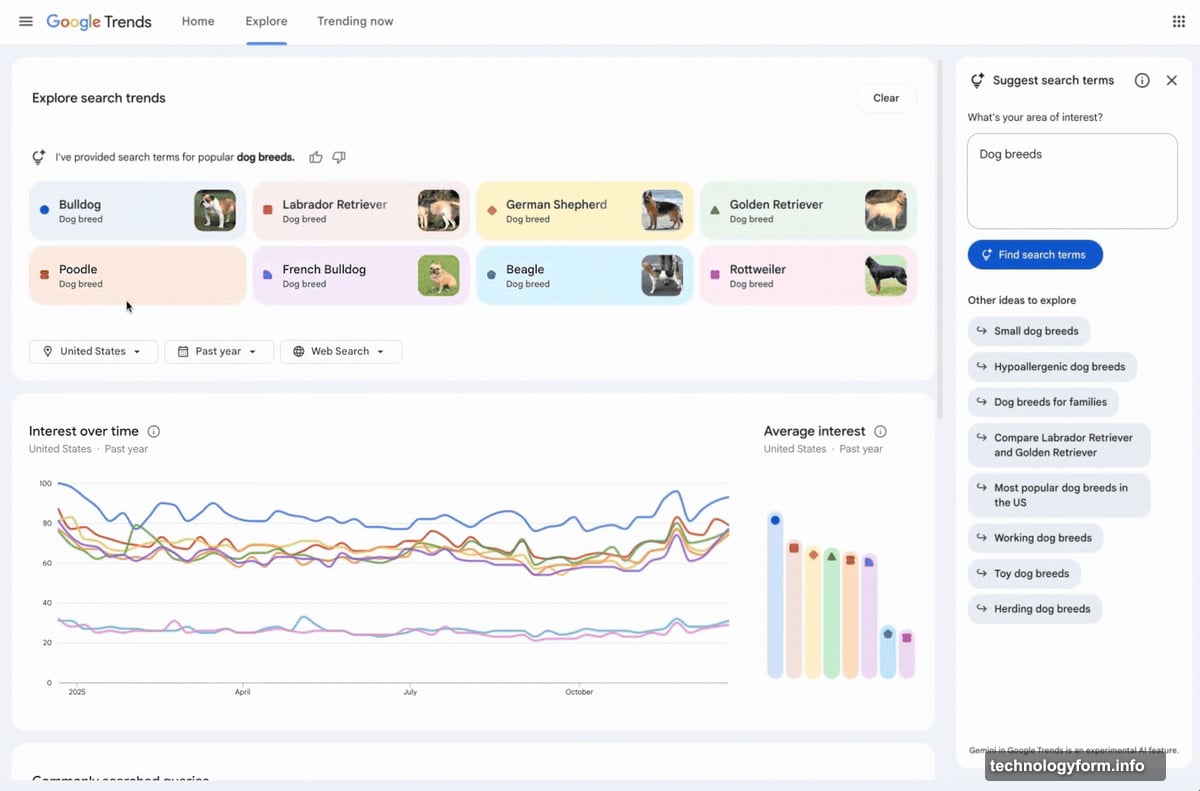
The redesigned page adds a side panel where Gemini lives. It watches what you’re researching and populates the graph with up to eight related search terms automatically.
Plus, you’ll see suggested prompts to dig deeper. The AI essentially acts as a research assistant that knows what questions to ask next.
Google also cleaned up the visual design. Each search term now gets its own icon and color, making it easier to track multiple lines on the graph. And the company doubled the number of “rising queries” displayed on each timeline.
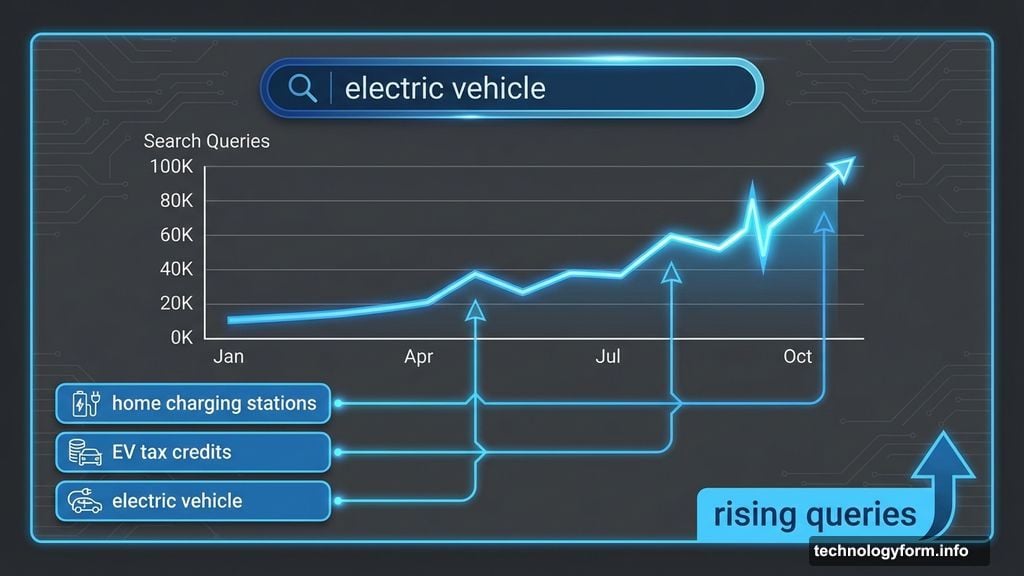
That last change helps you spot emerging trends before they peak. Rising queries show what people are starting to search for, not just what’s popular now.
How Gemini Surfaces Hidden Connections
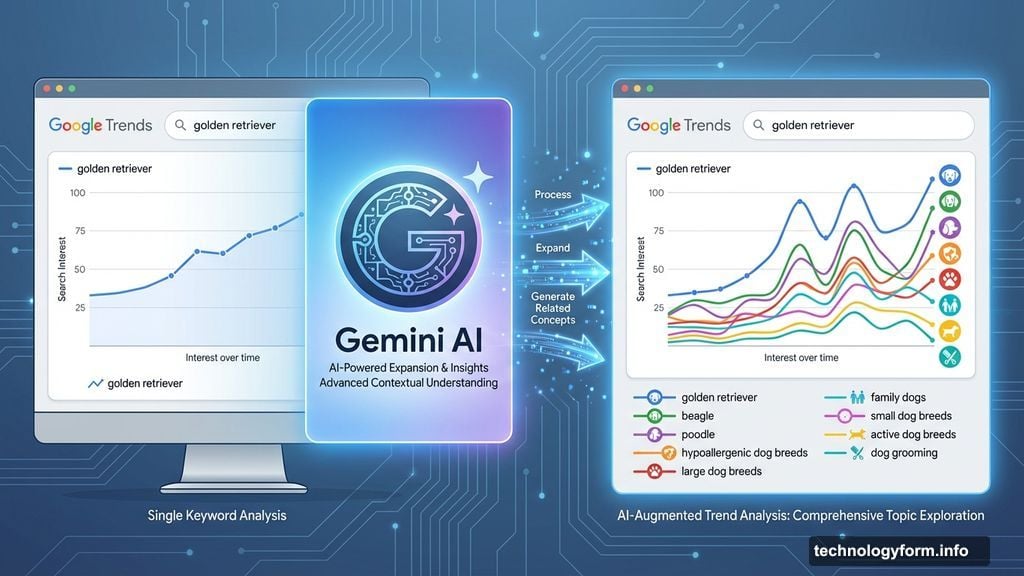
Google’s blog post demonstrates with dog breed searches. Type “golden retriever” and Gemini auto-fills the graph with related breeds like “beagle” or “poodle.”
But here’s where it gets interesting. The AI also suggests adjacent topics you might not think to explore. It might surface “hypoallergenic dog breeds” or “large dog breeds” as related angles worth investigating.
So you start with one topic and quickly map the entire landscape around it. Previously, that required guessing which terms mattered and testing them one by one.
You can still override Gemini’s suggestions. Hover over any term to edit it manually or use filters to adjust the country, time range, and search type. The AI provides a starting point, not a straitjacket.
Why This Matters for Researchers
Trends Explore already handled the “what’s popular” question well. But finding the “what else should I look at” answer took experience and intuition.
Now Gemini fills that gap. It spots patterns in search data faster than humans can and suggests angles you might overlook. That’s especially valuable when researching unfamiliar topics where you don’t know the terminology yet.
For instance, if you’re tracking electric vehicle interest, Gemini might surface related searches like “home charging stations” or “EV tax credits” that explain why interest spiked. Those connections help you understand the story behind the numbers.
The expanded comparison limit helps too. Eight terms on one graph means you can track an entire category at once instead of splitting your analysis across multiple views.
Gemini Keeps Spreading Across Google
This Trends update fits Google’s broader push to embed Gemini everywhere. The company already added AI capabilities to Search, Gmail, Maps, and Docs over the past year.
The strategy makes sense. Google wants Gemini to feel like a natural part of using its products, not a separate AI tool you need to remember to open. So it’s threading the assistant through interfaces people already use daily.
However, that approach raises questions about when AI suggestions help versus when they introduce bias. Gemini’s trend suggestions reflect patterns in search data, which can amplify existing biases or miss emerging shifts that haven’t hit critical mass yet.
Google hasn’t detailed how Gemini decides which related terms to suggest or how it weights different factors. That opacity matters because researchers often use Trends data to inform business decisions or editorial coverage.
The Research Workflow Changes
Before this update, using Trends Explore meant starting with a hypothesis about what terms to compare. You’d type in your guesses, check the results, adjust, and repeat until you found meaningful patterns.
Now you can start with just one term and let Gemini build out the comparison set. That inverts the workflow from hypothesis-driven to exploratory. You discover connections instead of confirming hunches.
Both approaches have value. Sometimes you need to test a specific theory. Other times you want to map an unfamiliar space without preconceptions. Gemini enables that second mode better than the old manual process.
The suggested prompts push you further into exploration mode. Instead of just showing related terms, Gemini asks follow-up questions that lead you deeper into the data. It’s like having a research partner who knows what to investigate next.
What Still Needs Manual Work
Gemini accelerates the research process but doesn’t eliminate judgment calls. You still need to decide which trends actually matter versus which are noise.
The AI can’t tell you if a spike represents a meaningful shift or a temporary blip from a viral moment. It can’t explain why certain terms correlate or whether that correlation indicates causation. Those analytical steps still require human interpretation.
Moreover, Trends data has inherent limitations. It shows relative search interest, not absolute numbers. A term can trend without massive search volume if it’s growing fast from a small base. Gemini doesn’t explain those nuances automatically.
So the tool got more powerful, but it’s not autopilot. You still need to understand what the data actually means and how to apply it properly. Gemini just gets you to the interesting questions faster.
Desktop First, Mobile Later
The update launched on desktop only. Google didn’t announce a timeline for mobile, though it’s likely coming given how much traffic Trends gets from phones.
That desktop-first rollout makes sense for this particular feature. Comparing multiple trend lines works better on larger screens where you can see the full graph clearly. Mobile works for quick trend checks but gets cramped when analyzing complex patterns.
Still, mobile support matters because many journalists and researchers work on phones while in the field. Waiting for desktop access limits when and where you can use these new capabilities.
The Bigger Picture on AI Research Tools
Google’s not alone in adding AI to research tools. Perplexity built its entire business around AI-powered research. Microsoft embedded similar capabilities into Bing. Anthropic’s Claude and OpenAI’s ChatGPT both position themselves as research assistants.
The difference here is access to Google’s massive search data. Trends shows you what millions of people actually search for, not what AI models think people might search for. That grounding in real behavior data makes Gemini’s suggestions potentially more valuable than generic AI research tools.
However, that same access to search data raises privacy questions Google hasn’t fully addressed. The company aggregates and anonymizes Trends data, but Gemini’s ability to find patterns across that data could reveal information about specific communities or demographics that individuals might not want surfaced.
Google will need to explain how it handles those edge cases as Gemini gets better at spotting subtle patterns in search behavior.
Should You Trust Gemini’s Suggestions?
Here’s the practical question. When Gemini suggests related terms, how do you know they’re actually relevant versus just algorithmically adjacent?
The answer is you don’t, automatically. You need to verify the suggestions make sense for your specific research question. Gemini accelerates the process of finding candidates to investigate, but you still judge which ones matter.
Think of it like a research assistant who pulls potentially relevant papers for you to review. The assistant saves you search time, but you still need to read and evaluate each source yourself. Gemini works the same way with trend data.
That means the tool works best for people who already understand Trends data and can evaluate AI suggestions critically. Beginners might take Gemini’s suggestions at face value when they should question whether certain connections are meaningful.
What This Means for Content Strategy
For marketers and content creators, this update changes how you identify trending topics worth covering. Instead of manually checking multiple related terms to gauge interest, Gemini maps that landscape automatically.
That’s valuable for finding content gaps. If Gemini shows several related trends but you notice one that nobody’s covering well, that’s an opportunity. The AI essentially provides competitive intelligence by showing you the full terrain of search interest around your topic.
However, everyone using Trends now gets the same Gemini suggestions. So if the AI surfaces a gap, your competitors probably see it too. Speed matters more than before because multiple creators might spot the same opportunity simultaneously.
The rising queries data helps here. Pay attention to what’s starting to trend, not just what’s already peaked. That gives you a head start before competition intensifies.
The Future of AI-Assisted Research
This update hints at where Google’s heading with Gemini. The company wants AI to feel like a natural collaborator in your workflow, not a separate tool you need to remember to use.
That vision makes sense. The best AI tools disappear into existing processes and make work feel easier without requiring you to change how you work. Gemini in Trends does that by fitting into the research workflow people already use.
We’ll likely see more of this pattern across Google’s products. The company wants Gemini everywhere, providing contextual assistance based on what you’re doing at that moment. Trends is just one example of how that plays out.
The question is whether users want that much AI involvement in their work or prefer to control when and how they engage with AI tools. Google’s betting on the former, but user feedback will determine if that’s the right call.