Oxylabs Proxy Server: Built for Enterprise Teams Who Need Scale
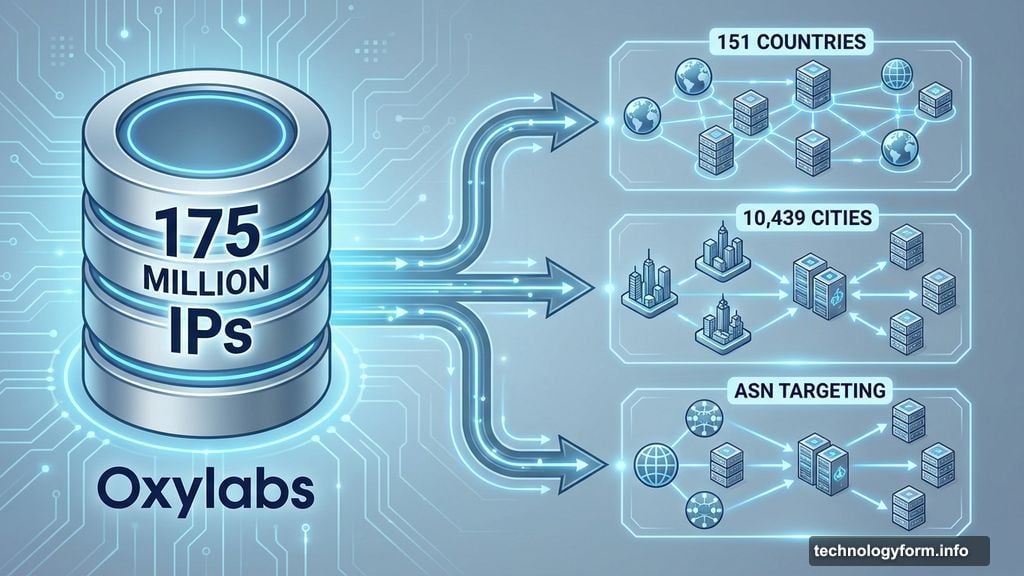
Oxylabs isn’t messing around with its proxy network. With 175 million residential IPs in its pool, it’s the largest proxy service available today.
But here’s the thing. That massive scale comes with a learning curve. Plus, the pricing structure clearly targets businesses moving terabytes of data monthly, not individuals trying to snag concert tickets.
So is Oxylabs worth the complexity? For enterprise teams running serious data collection operations, absolutely. For casual users, probably not.
Performance Numbers That Actually Matter
Proxyway’s 2025 research report tested over a million requests across major proxy services. Oxylabs consistently ranked at the top.
Its infrastructure success rate hit 99.9%. That means your automated tasks complete successfully almost every time. Moreover, average response time clocked in at just 0.65 seconds—second only to Decodo.
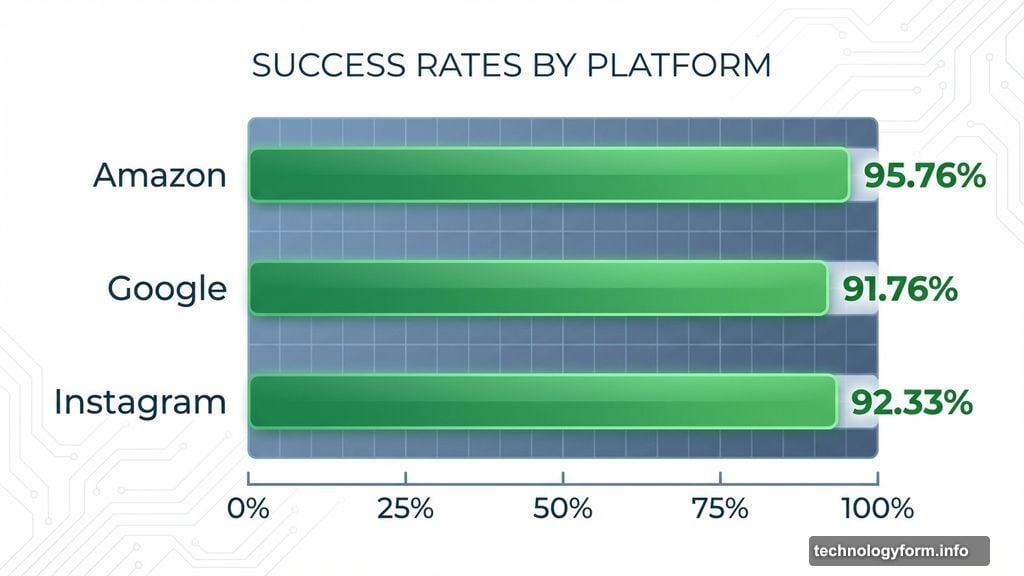
But the real strength shows up in how Oxylabs handles popular targets. Amazon requests succeeded 95.76% of the time. Google hit 91.76%. Instagram came in at 92.33%. Those are impressive numbers for sites that actively fight bot detection.
Plus, Oxylabs leads the industry in unique IPs. Because you won’t share addresses with other users, target websites are less likely to flag your traffic as suspicious. That matters when you’re scraping data at scale.
Residential Proxy Pool Dominates the Market
175 million IPs isn’t just marketing fluff. That’s 20 million more than second-place SOAX.
You can target proxies in 151 countries or 10,439 cities. Need something more specific? Route traffic through particular states or even specific carriers using ASN targeting.
However, quantity alone doesn’t guarantee quality. So Oxylabs also scored third-highest for low fraud scores in global IPv4 addresses. Only 25% of its IPs scored above 75% on IPQualityScore metrics—meaning they’re less likely to be flagged as suspicious.
In the US pool specifically, Oxylabs ranked second for low fraud scores. That’s crucial for companies doing market research or price monitoring in American markets.
Pricing Works Best at Enterprise Scale
Here’s where things get interesting. Oxylabs charges $4.00 per GB for pay-as-you-go residential proxies. That’s expensive compared to competitors.
But once you hit the 1TB tier, prices drop to $2.00 per GB. Only Webshare and DataImpulse beat that rate—and both have significantly smaller proxy pools with lower quality IPs.
The catch? Oxylabs offers limited package tiers. If your team needs 500GB monthly, you’re stuck buying the 318GB tier at $2.75 per GB and topping off the rest at that same rate. Still cheaper than most competitors, but not as flexible as I’d like.
Mobile proxies cost more. Pay-as-you-go starts at $5.40 per GB, dropping to $3.00 per GB at the 600GB tier. That’s notably higher than Decodo’s mobile rates, though Oxylabs does have the second-largest mobile proxy pool with 20 million IPs.
Third-Party Integrations Beat Manual Setup
Oxylabs supports over 30 third-party software integrations. Already using tools for web scraping or market analysis? There’s probably an Oxylabs integration available.
The company recommended AdsPower for managing residential proxies. I wasn’t thrilled about downloading another app. But once inside, I could see the appeal for teams juggling multiple projects.
AdsPower lets you manage multiple browser profiles and proxies simultaneously. So you can run different scraping tasks without cross-contamination or detection. For enterprise teams, that’s genuinely useful.
However, Oxylabs requires more technical knowledge than competitors. You have to manually enter host port codes for proxy targeting. Want traffic routed through Japan? Type “jp-pr.oxylabs.io:40000” as the port.
Compare that to Decodo’s dropdown menus for country selection. Much more beginner-friendly.
Documentation Favors Developers Over Beginners
Oxylabs clearly designed its interface for people who write code. The documentation assumes you understand proxy fundamentals and networking concepts.
That’s fine if you’re a developer. But it’s frustrating if you’re new to proxies and just need basic guidance. I found myself missing the hand-holding that Decodo and other services provide.
The good news? Oxylabs offers real human support through web chat. Within minutes of struggling with setup, a representative reached out offering to hop on a call. When I used the chat feature later, a real person responded within minutes.
That responsiveness helped offset the sparse documentation. Still, I’d rather have comprehensive guides upfront than need to contact support regularly.
Mobile and ISP Proxies Round Out the Offering
Oxylabs doesn’t just excel at residential proxies. Its mobile proxy network includes 20 million IPs—second-largest overall behind SOAX.
More importantly, Oxylabs has the highest number of unique mobile IPs. That’s valuable for teams targeting mobile-specific content or testing mobile app functionality.
Performance metrics for mobile proxies were outstanding. Infrastructure success rate hit 99.94% with response time at just 0.57 seconds. But again, you’ll pay premium prices for that performance.
ISP proxies (static residential) offer a middle ground between residential and datacenter options. These use real ISP addresses hosted on datacenter infrastructure. Shared ISP proxies start at $1.60 per IP when buying 10 at once.
Datacenter proxies are the cheapest option. The first five shared datacenter IPs are free. Bulk purchases drop the price to $0.75 per IP for 1,000 addresses.
Browser Extension Lacks Polish
Oxylabs offers a bare-bones browser extension for quick proxy connection. One click connects you to your selected proxy server.
But it’s missing features found in competitors. You can’t check data usage from the extension—you have to log into the dashboard. That’s a minor inconvenience, but it adds friction when you’re monitoring multiple projects.
The data dashboard itself is solid. It shows usage, success rates, and other key metrics clearly. Just wish those insights were accessible without leaving my browser.
Real Support from Actual Humans Matters
Within minutes of creating my account, an Oxylabs representative contacted me offering help. That proactive outreach sets them apart.
The web chat includes an explicit “talk to a human” option. When I used it, response times were fast and answers were genuinely helpful. No scripted responses or AI chatbots deflecting questions.
For enterprise customers spending thousands monthly on proxy services, that level of support matters. Technical issues cost money in downtime and failed operations. Quick access to knowledgeable humans reduces those costs.
Who Benefits Most from Oxylabs
Oxylabs makes sense for specific use cases. Enterprise teams running large-scale data collection will appreciate the massive proxy pool and rock-solid performance.
Developers comfortable with technical setup will value the extensive API options and third-party integrations. If you’re already embedded in specific software tools, Oxylabs probably supports them.
Companies needing proxies in obscure geographic locations benefit from the 151-country coverage and granular targeting options. That breadth is hard to match.
However, individuals and small teams should look elsewhere. The learning curve is steep. The pay-as-you-go pricing is expensive. And the documentation assumes technical knowledge most casual users don’t have.
For those users, Decodo offers similar performance with much friendlier onboarding and better per-gigabyte pricing at smaller scales.
Oxylabs built its service for data-hungry businesses that need scale, reliability, and geographic reach. If that’s your use case, the complexity becomes an asset rather than a liability. If it’s not, simpler alternatives will serve you better.