These Apps Kill Distractions When You Can’t Focus
New Year’s resolutions fail. You know it. I know it. But this time feels different because you’re determined to boost productivity.
Except your brain keeps pulling you toward TikTok. Instagram. Twitter. Whatever distracts you from actual work.
Here’s the thing. Willpower isn’t enough. You need tools that physically prevent you from sabotaging yourself. Let’s talk about apps that do exactly that.
Freedom Blocks Everything at Once
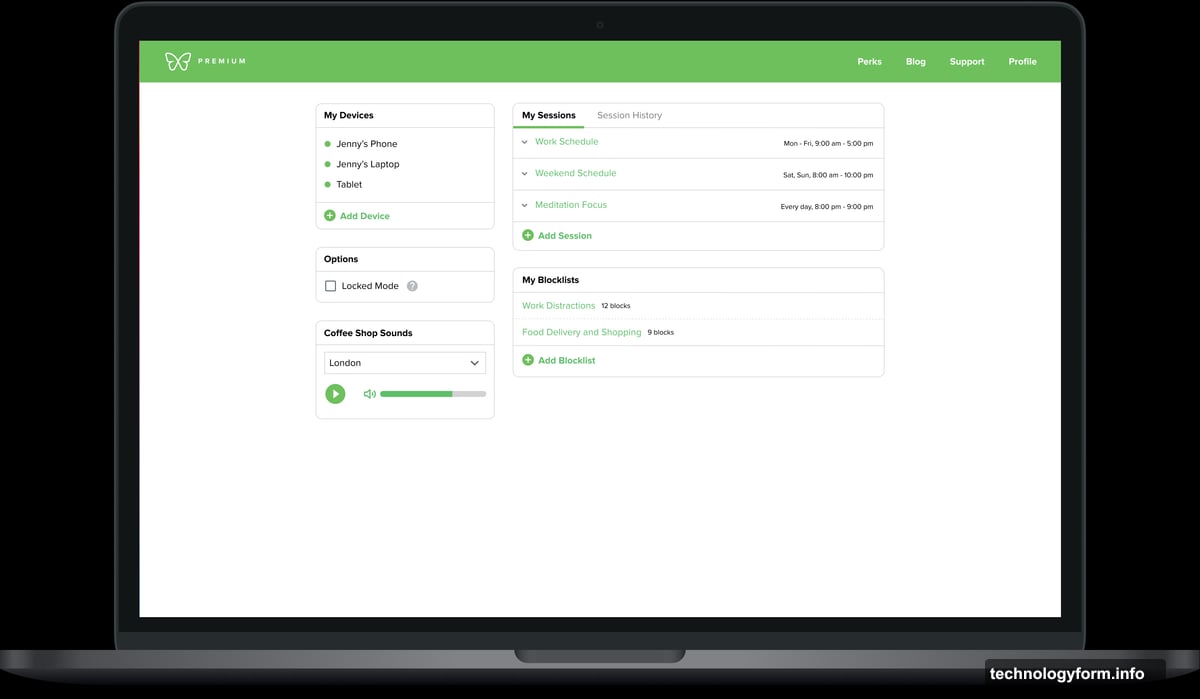
Freedom works across all your devices simultaneously. Start a session on your laptop? Your phone blocks the same apps instantly.
Choose which websites and apps to block. Set a timer. Watch Freedom shut down your escape routes. Try to open TikTok during a work session? You’ll see a green screen saying “blocked” instead of dancing videos.
The scheduling feature matters most. Set recurring blocks for specific times. Every workday at 9 AM, Freedom automatically starts blocking distractions. No decision fatigue. No negotiating with yourself.
Plus, you can block the entire internet if your task doesn’t need connectivity. Or whitelist only essential work sites while blocking everything else.

Here’s where Freedom gets serious. “Locked Mode” prevents you from ending a session early. Once you commit, you’re locked in. No escape hatch. No “just five minutes on Reddit.”
Freedom costs $3.33 monthly when billed annually or $8.99 monthly. A lifetime subscription runs $199. You get a seven-day free trial to test it.
Cold Turkey Doesn’t Let You Cheat
Cold Turkey is for people who can’t trust themselves. Most blockers let you wiggle out. Cold Turkey makes quitting nearly impossible.
Block websites, apps, or the entire internet. Set your timer. Hit start. Now you’re stuck until the timer expires. No backdoor. No override button.
“Frozen Turkey” mode takes it further. It locks you out of your entire computer. Extreme? Yes. Effective? Also yes.
The app also schedules breaks. Step away from your computer at set intervals. Cold Turkey forces you to rest instead of grinding yourself into exhaustion.
Basic features cost nothing. Unlock scheduling and app blocking for a one-time $39 fee. No subscriptions. Pay once, use forever.
Opal Tracks Your Focus Score
Opal blocks distracting apps and websites on iPhone, Android, and desktop. Create “focus blocks” that prevent access during specific periods.
Block entire categories at once. Social media. Games. Messaging apps. All gone with one tap. Set one-off blocks or recurring sessions that run automatically.
Daily usage limits prevent excessive scrolling. Spent 30 minutes on Instagram? Opal shuts it down for the rest of the day.
What sets Opal apart is the “focus score.” See exactly how much time you spend focused versus distracted. Real-time stats show your progress. Weekly reports reveal patterns.
Opal’s basic features are free. Unlock unlimited recurring sessions, harder blocking, and more analytics for $19.99 monthly or $99 annually.
LeechBlock Keeps Browsers Clean
LeechBlock is a free browser extension for straightforward website blocking. Select sites to block. The extension prevents your browser from loading them.
Create multiple block sets with different sites and schedules. Block Facebook during work hours. Allow it in the evening. Set up as many custom rules as you need.
Time-based blocking matters. Block sites during specific hours each day. Or trigger one-off blocks when you need to focus right now.
Here’s a clever feature: countdown delays. Set a 10-minute timer before a site loads. You can still access it eventually. But the delay disrupts impulsive browsing habits. Often that pause is enough to reconsider wasting time.
One warning though. Since LeechBlock lives in your browser, switching browsers bypasses it. You need minimal willpower to avoid that loophole.
Forest Grows Trees While You Work
Forest gamifies productivity while supporting environmental efforts. Plant a virtual tree when you need to focus. The tree grows as you concentrate. Leave the app early? The tree dies.
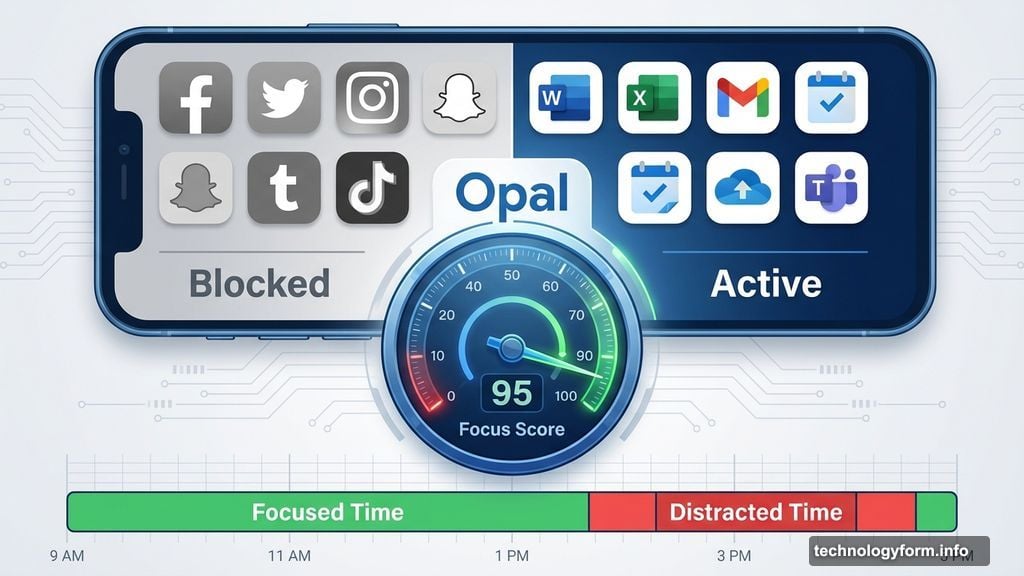
Set “Allow Lists” for productive apps. Email apps, Microsoft Word, work tools. Use those freely while everything else stays blocked.
Over time, you build a digital forest representing your productivity. Share your forest with friends. Compare progress. Make it competitive.
Here’s the meaningful part. Earn coins as you grow virtual trees. Use those coins to fund real tree-planting projects through Trees for the Future. Your digital focus translates to actual environmental impact.
Forest’s browser extension costs nothing. The iOS app runs $3.99. Android users get a free version with ads or pay $1.99 to remove them.
Pick Your Poison
Different tools work for different people. Freedom excels at multi-device blocking. Cold Turkey wins on accountability. Opal tracks your progress. LeechBlock offers simplicity. Forest adds meaning through environmental impact.
Try multiple apps before committing. Most offer free trials or free versions. Test them during real work sessions. See which one actually keeps you focused.
Your productivity doesn’t need motivation. It needs guardrails. These apps provide them. Install one today. Block your distractions tomorrow. Get work done for once.