
AI Agents Now Get VPN Protection, and Windscribe Is First to Offer It
Your AI agents are out there browsing the web, running tasks, and making requests on your behalf. But here’s the thing most people haven’t thought about: every single request those agents make exposes your real home IP address to whatever service they’re talking to.
Windscribe just decided that’s worth fixing.
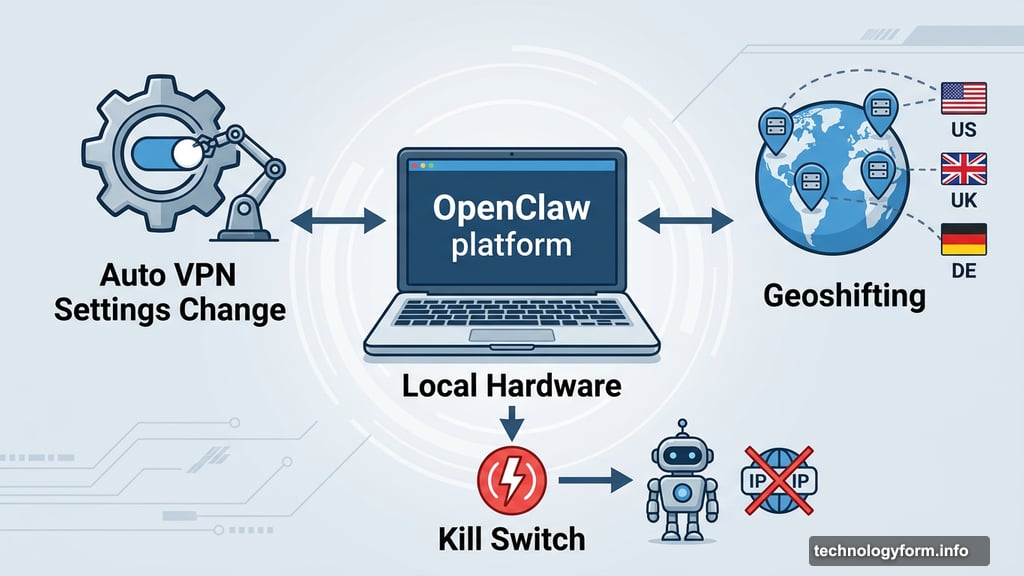
The VPN software company has introduced native support for OpenClaw, an agentic AI platform that runs on local hardware, directly inside its Windscribe VPN software. That means your AI agents can now operate behind a proper VPN connection, with the ability to change settings on their own as tasks demand.
AI Agents Need VPN Coverage Too
So what does this actually mean in plain English? Think of it like this. You wouldn’t browse sketchy websites without protection. But your AI agents have been doing exactly that every time they fetch data, fill out forms, or scan the web on your behalf.
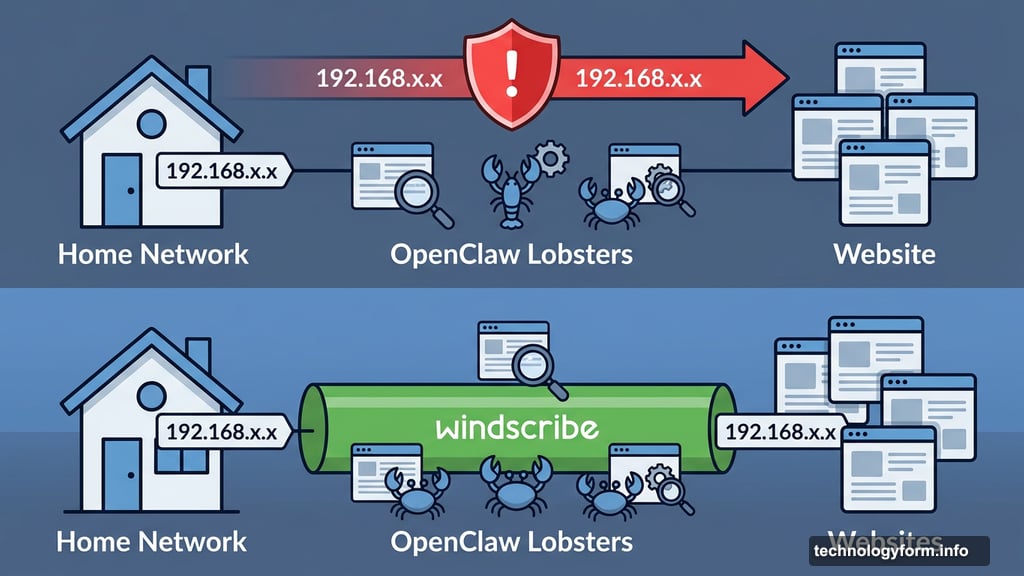
OpenClaw uses what it calls “lobsters” — AI bots that can browse and perform tasks autonomously. Without VPN coverage, those lobsters go out wearing your home address. If one gets a little too aggressive and triggers a security challenge or lands on a blocklist, your entire home network potentially takes the hit.
Windscribe put it bluntly in their announcement: “You gave your agent a browser and a job, but you didn’t give it a VPN. Let’s fix that.”
What Windscribe’s OpenClaw Skill Actually Does
The new integration lets AI agents modify VPN settings on their own, without you having to jump in manually. That opens up some genuinely useful scenarios.
For starters, agents can verify that a VPN tunnel is active before they start working, especially handy after a power outage when your setup reboots and connectivity might be spotty. Beyond that, you can configure what Windscribe calls “geoshifting,” where agents automatically connect through specific regional servers depending on the task they’re running. Need your agent to access content only available in a particular country? It handles that itself.
Plus, you can set up a kill switch specifically for your agents. If the VPN drops, the agent stops dead rather than continuing with your real IP exposed.
Open Source and Built to Work Broadly
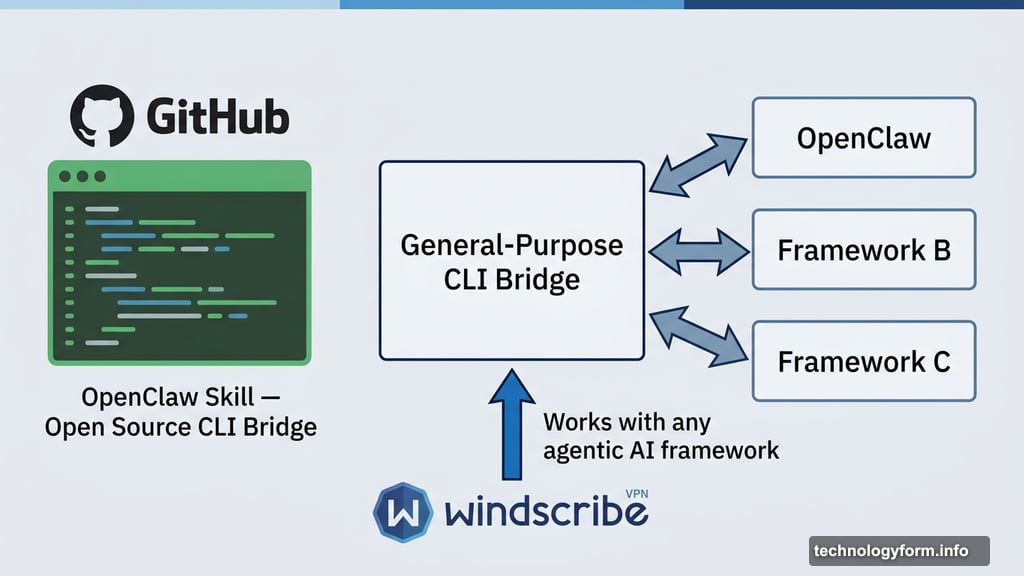
One detail worth calling out here: Windscribe didn’t build this as a locked-down, proprietary feature. The code for the OpenClaw skill is fully open source and available on GitHub. Better yet, it works with any agentic AI framework that supports the same skill specifications, not just OpenClaw itself.
“We built it as a general-purpose CLI bridge, not a single-platform integration,” a Windscribe representative told CNET.
That matters because the agentic AI space is moving fast and fragmented. A tool that only works with one platform has a short shelf life. Building it broadly means developers can plug it into whatever AI agent framework they’re already using.
The integration works with both Windscribe’s paid and free plans. And according to the company, the response has already exceeded expectations, making Windscribe the first VPN provider to bring OpenClaw natively into its platform.
Why This Privacy Gap Existed in the First Place
It’s easy to miss this problem because most people set up their VPN thinking about their own browsing. You connect, you’re protected, done. But AI agents operate as separate processes, often running in the background without passing through the same network protections your browser uses.
Windscribe describes this as addressing a “privacy blind spot.” And it genuinely is one. As more people run autonomous agents to handle research, scheduling, data gathering, and other web-based tasks, the number of unprotected requests quietly piling up in the background grows alongside it.
Every one of those requests is a breadcrumb pointing back to your real location.
For anyone already using Windscribe, setup instructions are available directly through the company. For developers interested in building similar protections into other frameworks, the open-source code is the obvious starting point.
AI agents are becoming a normal part of how people work online. It only makes sense that the privacy tools protecting your browsing start catching up to protect them too.