Gmail Passwords Leaked: 183 Million Accounts Hit by Credential Breach
Your Gmail password might be floating around online right now. And you wouldn’t even know it.
A massive data leak just exposed 183 million login credentials. Plus, security researchers confirmed that real Gmail passwords are included. So if you haven’t checked your account security lately, now’s the time.
What Actually Happened
Cybersecurity expert Troy Hunt added the breach data to Have I Been Pwned on October 21. The database now contains 183 million compromised email addresses and passwords from an April 2025 breach.
But here’s the concerning part. This isn’t just old recycled data. Security firm Synthient monitored infostealer platforms for nearly a year to compile this information. That’s 3.5 terabytes of stolen credentials from 23 billion data rows.
Infostealers work silently. They capture your login information when you sign into websites. Then they bundle everything together and sell it on dark web marketplaces. Most people never realize their credentials got swiped until it’s too late.
Gmail Users Are Definitely Affected
Hunt verified the authenticity by reaching out to people in the database. One Gmail user confirmed their actual password appeared in the leak.
So this isn’t theoretical. Real Gmail credentials are out there right now.
Google responded with a statement acknowledging the breach. They confirmed it covers “broad infostealer activity” targeting many web services. However, they didn’t specify how many Gmail accounts were compromised.
The company advised users to enable two-factor authentication immediately. Better yet, switch to passkeys, which Google calls “a simpler and stronger alternative to passwords.”
Most Data Is Recycled, But Fresh Leaks Are Alarming
Hunt analyzed a sample of 94,000 credentials. He found that 92% already existed in previous breach databases. That sounds reassuring until you do the math.
The remaining 8% represents fresh leaks. That’s over 14 million credentials that never appeared in any previous breach. The final count? 16.4 million previously unseen email addresses.
So even though most data got recycled from older breaches, millions of new victims just got added to the list. And if your password appeared in an old breach but you never changed it, you’re still vulnerable.
Credential stuffing attacks exploit this laziness. Criminals take old passwords and try them across hundreds of websites. If you reused that password anywhere, attackers can access multiple accounts with one stolen credential.
Check Your Account Right Now
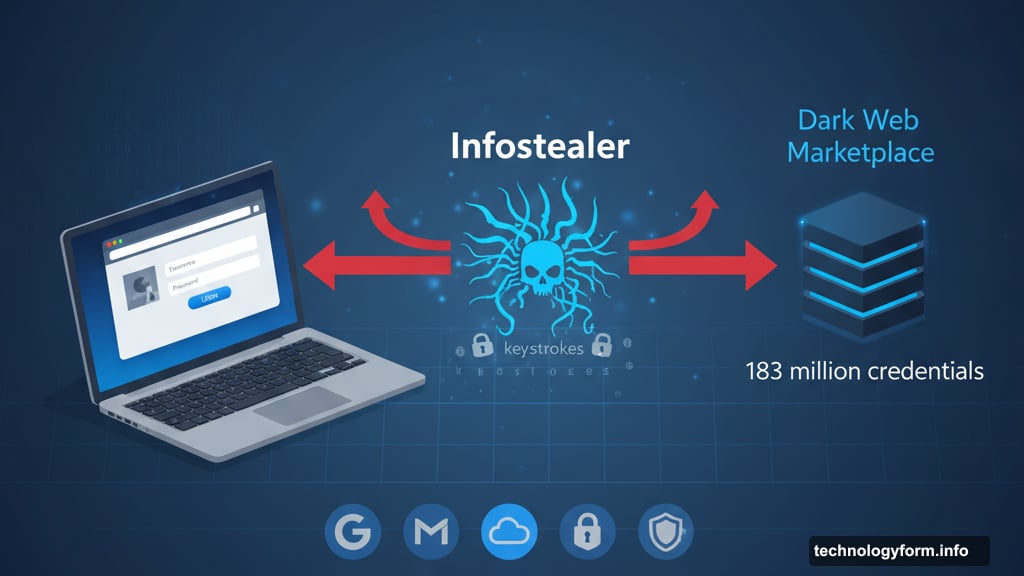
Don’t wait. Head to Have I Been Pwned and enter your email address. The site will tell you immediately if your credentials appear in this leak or any other breach database.
Found your email? Change your password immediately. Then enable two-factor authentication if you haven’t already.
Google also offers a built-in password checkup tool for Chrome users. Navigate to Chrome’s settings, select “Passwords and autofill,” then “Google Password Manager” and finally “Checkup.”
This tool reveals three critical problems. First, it shows compromised passwords known to appear in data breaches. Second, it identifies weak passwords that hackers can crack easily. Third, it highlights reused passwords across multiple accounts.
Google will prompt you to change your Google Account password if they detect any security risks. Don’t ignore those warnings.
The Reused Password Problem
Here’s what drives security experts crazy. Most people use the same password everywhere.
One credential leak shouldn’t compromise your entire digital life. But it does when you reuse passwords. Hackers call this “credential stuffing” and it works frighteningly well.
Take this scenario. Your Gmail password leaks. You used the same password for your bank account. Now attackers can access both. Plus your social media. And your work email. And everything else tied to that same password.
The solution? Use unique passwords for every account. Yes, that means remembering dozens of different passwords. That’s where password managers come in handy.
What Google Recommends
Google’s advice is straightforward. If you suspect your account got hacked, sign in immediately and review recent activity. Check for suspicious logins from unfamiliar locations or devices.
Can’t sign in? Head to Google’s account recovery page. Answer the security questions as accurately as possible. Google uses this information to verify your identity and restore access.
Google also mentioned they have processes for resetting passwords when large credential dumps surface. However, they don’t proactively force password resets for everyone. You need to take action yourself.
The company strongly pushes two-factor authentication. Even if attackers steal your password, they can’t access your account without the second verification step. That could be a code texted to your phone or generated by an authenticator app.
Better yet, switch to passkeys. These eliminate passwords entirely by using biometric authentication like fingerprints or facial recognition. No password means nothing to steal or leak.
Infostealers Are Getting Worse
This breach highlights a growing problem. Infostealer malware is spreading rapidly across the internet.
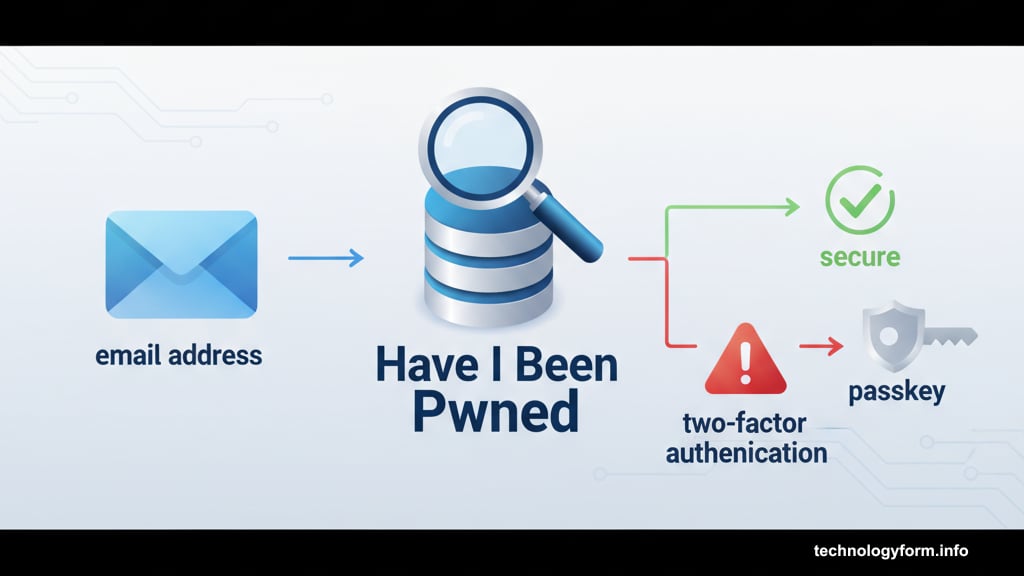
These malicious programs hide in fake software downloads, sketchy browser extensions, and phishing emails. Once installed, they silently monitor everything you type. Every login. Every password. Every website you visit.
Then they package all that information and sell it to other criminals. Synthient tracked these infostealers for nearly a year to compile this database. That’s how pervasive the problem has become.
Most antivirus software can detect known infostealers. But new variants emerge constantly. The best defense? Don’t download software from untrusted sources. Avoid sketchy websites. Think twice before clicking email links.
The Password Manager Solution
Managing unique passwords for dozens of accounts sounds impossible. That’s why password managers exist.
These tools generate strong random passwords and store them securely. You only need to remember one master password. The manager handles everything else.
Popular options include 1Password, Bitwarden, and LastPass. Google also offers built-in password management through Chrome. Most operate across all your devices, so you can access passwords anywhere.
Yes, storing all your passwords in one place creates a single point of failure. But modern password managers use strong encryption. Plus, the alternative—reusing weak passwords everywhere—is demonstrably worse.
Security experts universally recommend password managers. The math is simple. Reused passwords guarantee compromise during data breaches. Unique strong passwords prevent credential stuffing attacks.
What Happens Next
More breaches will come. That’s the unfortunate reality of modern internet security.
Criminals continuously probe for weaknesses. Infostealers evolve to evade detection. Data leaks happen regularly. Your credentials will probably appear in future breaches regardless of precautions you take today.
So what’s the point of all this security advice? Minimizing damage when breaches occur.
Strong unique passwords mean one compromise doesn’t cascade into total account takeover. Two-factor authentication stops attackers even with stolen credentials. Regular password checkups catch compromises early before serious damage happens.
This 183 million password leak is massive. But it’s not the first and won’t be the last. The question isn’t whether your data will leak. It’s whether you prepared properly to contain the damage.
Go check Have I Been Pwned right now. Change any compromised passwords. Enable two-factor authentication everywhere. Consider switching to a password manager if you haven’t already.
Your future self will thank you when the next breach hits.